
Slack Frontline, announced on October 19, 2026, is a mobile-first solution aimed at frontline workers who often miss important updates due to traditional office-centric tools. It integrates communication, AI support, and automated workflows, allowing employees to access relevant information and collaborate effectively from their mobile devices. Key features include role-based channels for shift updates, AI agents for quick data access, Huddles for immediate support, and robust security measures. This update enhances connectivity between frontline teams and business priorities, ultimately improving response times and operational efficiency across various industries.
Many employees work on store floors, factory lines, healthcare visits, and customer sites rather than sitting at a desk. Yet, they often miss important updates because company tools are designed mainly for office teams. Slack is addressing this gap with a new solution.
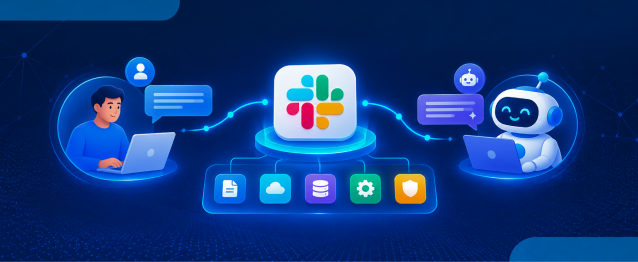
Announced on October 19, 2026, Slack Frontline brings mobile-first communication, company information, AI agents, and automated workflows together for employees who need to get work done while moving between tasks. It connects frontline workers with the wider business without relying on scattered group chats.
In this blog, we will cover what Slack Frontline offers, the latest features introduced for frontline teams, and why this update matters for businesses. We will also explore how organizations planning to migrate to Slack can make the transition simpler.
What Is Slack Frontline?
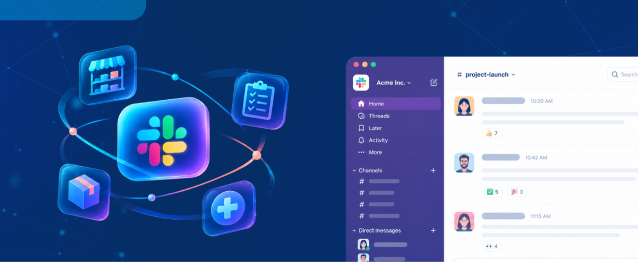
Slack Frontline is a mobile-first workspace designed for employees who do not work behind a desk. It gives frontline workers access to relevant team channels, company updates, Salesforce data, AI agents, and workflows from their phones.
Unlike general messaging tools, Slack Frontline is designed to connect everyday frontline tasks with company systems while keeping access under business security controls. It is available as an add-on for businesses using Slack Enterprise+.
What’s New in Slack? A More Connected Frontline Experience
The latest Slack Frontline announcement focuses on giving employees the right information and support during their shifts. Here are the key capabilities that stand out.
1. Role-Based Channels and Shift Updates
Frontline workers can access up to 10 channels relevant to their roles. These channels can bring together shift handoffs, daily priorities, safety updates, company announcements, and task lists.
This gives employees a clearer view of what needs attention without searching through multiple chats or waiting for a manager to share updates. For businesses using Slack for team coordination, this can make communication more consistent across locations and shifts.
2. AI Agents and Salesforce Data at the Point of Work
Slack Frontline brings AI agents and trusted Salesforce data closer to employees who need quick answers while working. For example, a retail associate can check inventory, while a field technician can access relevant information or request support without returning to the office.
These capabilities can also help workers take action through connected workflows. The goal is to reduce delays caused by switching between systems and waiting for responses from other teams.
3. Huddles and Automated Workflows
Employees can start Huddles to connect with headquarters or specialists when an issue needs immediate attention. Automated workflows can also support routine tasks, such as raising maintenance requests or coordinating work between departments.
For a business with multiple locations, Slack for frontline operations can help keep handoffs and updates in one place instead of spreading them across calls, paper notes, and separate messaging apps.
4. Security and Controlled Access
Frontline employees may not have corporate email accounts or access to office computers. Slack Frontline supports sign-in through an employee ID, QR code, or corporate email, alongside multifactor authentication and administrator controls.
This helps businesses give employees access to the information they need while maintaining security and permissions. Supported Enterprise+ compliance configurations include options for requirements such as HIPAA, FINRA, and data residency.

Build Forms Faster with AI
Create forms, automate workflows, and send data straight to Salesforce.
Why Slack Frontline Matters for Businesses
The value of Slack Frontline goes beyond faster messaging. It helps connect frontline activity with business priorities, making it easier for teams to respond to customer needs and share information across locations.
- Retail: Associates can access promotions, inventory information, and customer context while assisting shoppers.
- Healthcare: Care teams can coordinate visits and connect with specialists while following access and compliance requirements.
- Manufacturing: Workers can share machine issues, access safety procedures, and coordinate maintenance.
- Travel and hospitality: Staff can route guest requests between departments and keep the next shift informed.
- Field services: Technicians can connect with headquarters, share site updates, and get support without leaving the job site.
Slack reports that Village Hotels has reduced customer issue resolution time from 48 hours to under 20 minutes with its frontline approach. Results will vary by organization, but the example shows how better access to updates and support can affect day-to-day service.
For businesses considering Slack for team collaboration, the update also highlights the importance of connecting office employees and frontline workers through shared information and workflows.
Conclusion
Slack Frontline brings communication, AI support, Salesforce data, and everyday workflows together for employees working beyond the office. For organizations with retail, healthcare, manufacturing, hospitality, or field teams, it offers a more connected way to manage shift updates and respond to issues.
If your business is planning to migrate to Slack from Microsoft Teams, Google Chat, or another Slack workspace, the Move to Slack solution can simplify the migration and generate an instant migration timeline to help plan the transition. Book a call to discuss your migration requirements and move your team’s conversations, files, and channels with a clearer plan.
Frequently Asked Questions
It brings shift updates, role-based channels, task lists, and company announcements together, helping employees stay informed and coordinate work without relying on scattered messages.
Yes, Slack Frontline brings Salesforce data and AI-powered assistance closer to frontline workers, helping them access relevant business information and take action through connected workflows.
AI agents can help employees find information, answer routine questions, access relevant business data, and initiate supported workflows without switching between multiple systems.
Businesses can use Slack for team communication, shared channels, connected business data, and automated workflows to help office-based employees and frontline workers coordinate more effectively.
Slack Frontline supports access options such as employee ID, QR code, or corporate email, along with multifactor authentication and administrator controls to help manage secure access.
 India
India  USA
USA UK
UK Canada