
Slack is enhancing team collaboration by integrating AI agents into everyday workflows, allowing employees to leverage AI for summarizing conversations, preparing updates, and accessing business data. Recent updates, such as Slackforce Surfaces and Big Mode, facilitate real-time collaboration and complex task management. As AI adoption grows, businesses must focus on clear permissions, human oversight, and effective migration processes to maximize productivity and ensure that AI complements human judgment in decision-making.
An AI agent can summarize a customer conversation, prepare a task update, or pull together information for a decision. But the real value comes when an employee can review that work, add missing context, and move the task forward with their team.
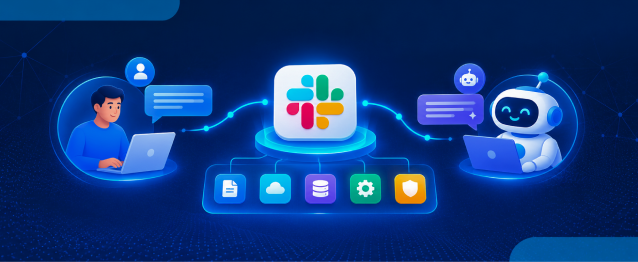
Slack is bringing this kind of human-agent collaboration into everyday workflows, connecting AI assistance with team conversations, Salesforce data, and business applications. The focus is not just on what an agent can do alone, but on how people and agents can work together in real time.
In this blog, we will explore how the Slack agentic enterprise is taking shape, how Slack AI agents support shared tasks and decisions, and how Slack AI integration and the Slack migration process can help businesses build more connected workflows.
Slack Latest Updates: Bringing Humans and AI Agents Together at Work
At Dreamforce in September 2026, Slack introduced several developments designed to make AI more useful across teams. These include Slackforce Surfaces, Slackbot in Salesforce Lightning Experience, Big Mode, and Slack Code. Together, they bring data, AI assistance, and collaborative work closer to where decisions happen.
Slackforce Surfaces: Turn Business Data into Shared Workspaces
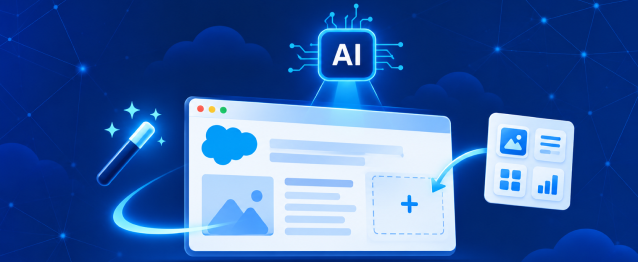
Teams often need a report or dashboard before they can decide what to do next. Slackforce Surfaces lets users describe what they need in a conversation and generate an interactive view of business data that colleagues can explore together.
For example, a sales team can bring pipeline figures into a shared surface, discuss the numbers, and review the next steps without moving between separate dashboards. The surface stays connected to its source, helping keep the discussion tied to business information.
Big Mode: Give Complex Work More Room
Some tasks need more than a quick answer. Big Mode gives Slackbot a dedicated, full-screen workspace for activities such as research, writing, analysis, and file generation.
Employees can develop a longer document and then share it with their team for feedback. This makes Slack AI agents more useful for work that needs several rounds of thinking and collaboration, rather than just a short response.
Slack Code: Bring AI-Assisted Development into the Team
AI coding tools can speed up development, but the work can remain hidden until someone shares the result. Slack Code creates a shared space where developers and AI agents can work on code, review changes, and discuss progress together.
- A teammate can flag a bug or suggest a change.
- An AI agent can propose a fix and provide a working preview.
- A developer can review the changes before they are shipped.
As Malte Ubl, Chief Technology Officer at Vercel, explained:
“Building software becomes something that the whole team does together.”
Slack AI Agents Are Becoming Part of Team Conversations
Slack AI agents are becoming more useful when they can work with the context already available to a team. Rather than opening another tool to ask a question, employees can use AI assistance to find information, prepare responses, and coordinate next steps within their existing workflow.
Slack reported in September 2026 that Slackbot had passed one million monthly active users, with usage growing 145% quarter over quarter. This gives a useful indication of how quickly employees are adopting AI assistance within their work environment.
What Can Teams Do with Slack AI Agents?
Depending on the connected applications, permissions, and agent capabilities, teams can use AI assistance to:
- Summarize lengthy conversations and highlight important decisions.
- Find customer, account, or case information from connected business systems.
- Draft follow-up messages and prepare meeting summaries.
- Coordinate tasks across supported applications and workflows.
The goal is not to let AI make every decision. It is to reduce the repetitive work around a decision so employees can focus on reviewing information, solving problems, and deciding what should happen next.
Slack AI Integration Connects Salesforce Data with Decisions
When business data sits in one system and team discussions happen somewhere else, employees often spend time collecting information before they can act. Slack AI integration helps bring these two sides closer by connecting Slack with Salesforce and other supported tools.
Slackbot can also appear in Salesforce Lightning Experience, allowing users to get assistance alongside a Salesforce record. For example, a sales manager could check an opportunity that has gone quiet, while a service representative could review shipping details and prepare a response to a delayed-order case.
Where This Connection Can Help
- Sales teams: Review opportunity details and coordinate follow-ups.
- Service teams: Find relevant case information and prepare customer responses.
- Marketing teams: Discuss campaign performance using connected data.
- Operations teams: Bring updates and decisions together across workflows.
Salesforce and Slack also support bringing Agentforce into Slack channels. The exact capabilities depend on the configuration, available integrations, and permissions in place, so businesses should confirm which features are available in their environment.
Making the Slack Agentic Enterprise Work in Practice
Adding AI agents is only one part of the change. Teams also need a clear understanding of what agents can access, which tasks they can perform, and when a person should review an action before it moves forward.
Salesforce CEO Marc Benioff described this wider shift in January 2026:
“The Agentic Enterprise is not only a technology transformation. When humans and agents work together, it radically transforms the structure of your company.”
For businesses, this means planning how people and agents will share responsibilities instead of simply adding AI to existing processes.
What Businesses Should Prepare
- Clear permissions: Limit access to the data and actions each agent needs.
- Human review: Decide which actions require employee approval.
- Reliable information: Keep connected records and business knowledge accurate.
- Team adoption: Help employees understand when and how to use AI assistance.
- Ongoing monitoring: Review agent activity, results, and workflow performance.
These steps help make the Slack agentic enterprise more practical by keeping automation connected to business needs, accountability, and employee judgment.
Planning the Slack Migration Process for an AI-Ready Workplace
A Slack migration process should cover more than moving messages and files from one platform to another. Businesses also need to consider their existing channels, team communication, connected applications, and the workflows employees will use with AI agents.
To make this transition smoother, businesses can use Move to Slack, a solution designed to support a streamlined migration process with an instant migration timeline. This helps teams plan the move more clearly while preparing their Slack workspace for connected workflows and human-agent collaboration.
Key Steps to Consider
- Review existing tools: Identify the channels, files, communication practices, and integrations teams rely on.
- Plan data movement: Decide which information needs to be migrated, retained, or archived.
- Connect business applications: Confirm Salesforce connections and other essential integrations.
- Set permissions: Establish access rules for employees, applications, and AI agents.
- Test important workflows: Check that core processes work as expected before rolling out the new environment.
- Support employees: Provide clear guidance so teams can adjust to the new workspace with confidence.
The Slack migration process is also a good time to identify repetitive tasks that could benefit from AI assistance. Starting with a few useful workflows makes it easier to assess value before expanding to more teams.
What This Shift Means for Businesses in 2026
Slack’s February 2026 account of its internal rollout reported that more than 42,000 Salesforce employees were using Slackbot, saving a combined 138,000 hours per week. Salesforce also estimated the productivity gains at $6.4 million. These are company-reported internal results, not a guarantee of the same outcomes for every organization.
The takeaway is that AI adoption works best when it fits into the way people already work. Businesses do not need to automate every task at once. They can start by identifying where employees lose time searching for information, summarizing discussions, or coordinating routine work.
As Slack AI integration expands, organizations can assess which workflows benefit from connected data and agent assistance, while keeping people involved where judgment and approval matter most.
Conclusion
The Slack agentic enterprise is taking shape through a more connected way of working, where people, business information, and AI agents can collaborate in the same environment. Recent Slack developments bring AI closer to shared data, software development, and everyday Salesforce workflows.
For businesses, the next step is to focus on useful applications rather than adopting AI for its own sake. With thoughtful Slack AI integration, well-defined agent permissions, and a carefully planned Slack migration process, teams can build a workplace where AI supports people and helps move work forward.
Frequently Asked Questions
Slack AI agents help teams summarize conversations, find relevant information, draft responses, and coordinate tasks, allowing employees to spend more time on decisions and less on repetitive work.
Recent developments include Slackforce Surfaces for interactive business data, Big Mode for complex tasks, Slack Code for collaborative AI-assisted development, and Slackbot in Salesforce Lightning Experience.
Slack AI integration connects team conversations with Salesforce data and supported business applications. Depending on configuration and permissions, users can access relevant records and coordinate actions within their workflows.
Businesses can use Slack AI agents to summarize discussions, prepare meeting notes, retrieve account information, draft customer communications, and assist with routine workflows across supported applications.
Businesses should review existing communication platforms, identify data to migrate or archive, map essential integrations, define access permissions, test critical workflows, and prepare employees for the transition.
 India
 USA
 UK
 Canada