
Authorizations are one of the most important components of the healthcare revenue cycle. They help providers track payer approvals, authorized units, approved amounts, HCPCS codes, and authorization periods before services are delivered or billed.
When authorization data is managed across different platforms, keeping records updated manually can become difficult. A proper Healthcare CRM Integration helps organizations maintain accurate information and avoid gaps between systems.
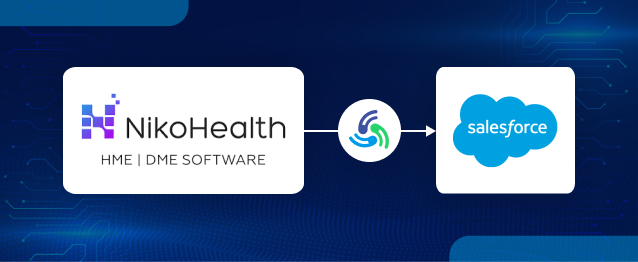
Using MultiSync Made Easy, organizations can create a reliable NikoHealth integration to automatically synchronize Authorization records between NikoHealth and Salesforce while maintaining relationships with Patients, Payers, and Orders.
In this guide, we will configure:
- NikoHealth → Salesforce Authorization Synchronization
- Salesforce → NikoHealth Authorization Synchronization
- Legacy Authorization Import
- Real-Time Authorization Synchronization
Before configuring Authorization synchronization, ensure the following integrations are already completed:
Required Integrations
- NikoHealth Authorization
- Patient Synchronization
Since Authorizations are generally associated with Patients and Insurance information, those records should already exist in Salesforce. This ensures the Niko Health and Salesforce connection works correctly and related records are linked properly.
Related Guides
- How to Integrate NikoHealth with Salesforce Using MultiSync Made Easy
- How to Sync Patient Records Between NikoHealth and Salesforce
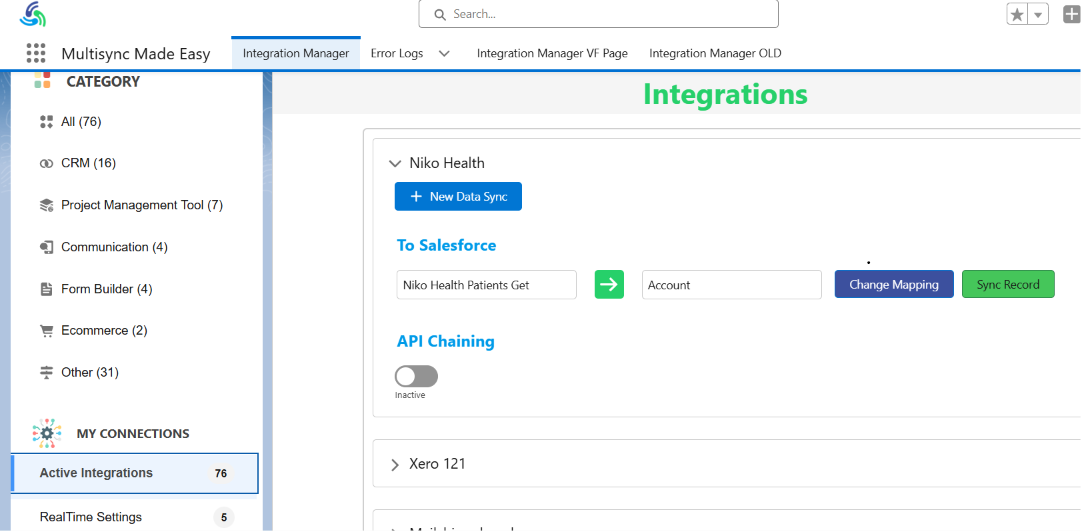
Step 1: Open MultiSync Made Easy
- Navigate to App Launcher → MultiSync Made Easy.
- Click Active Integrations.
- Locate the NikoHealth integration from the list.
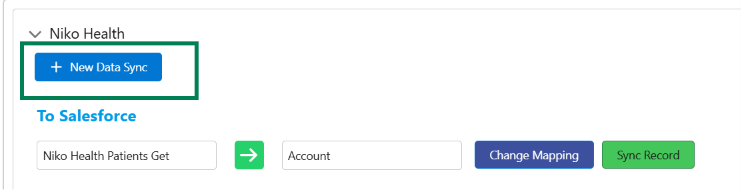
Step 2: Create a New Authorization Synchronization
- Click + New Data Sync.
- This opens the synchronization wizard.
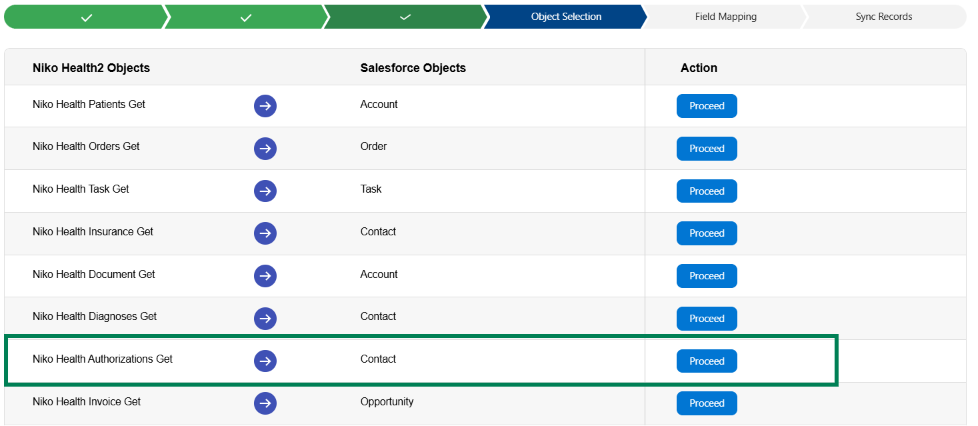
Step 3: Configure Object Mapping
- Under NikoHealth Object, select Niko Health Authorization Get.
- Select the Salesforce Object as Contact.
- Click Proceed.
Step 4: Configure Field Mapping
- Map Authorization fields from NikoHealth to Salesforce.
Example:
| NikoHealth Field | Salesforce Field |
|---|---|
| Id | Niko_Authorization_Id__c |
| AuthNumber | Authorization_Number__c |
| PatientId | Niko_Patient_Id__c |
| Payer.Name | Payer_Name__c |
| Product.Name | Product_Name__c |
| Units | Authorized_Units__c |
| Amount | Authorized_Amount__c |
| Notes | Notes__c |
| InProgress | In_Progress__c |
| Status.Name | Status__c |
| Type.Name | Authorization_Type__c |
| Period.From | Start_Date__c |
| Period.To | End_Date__c |
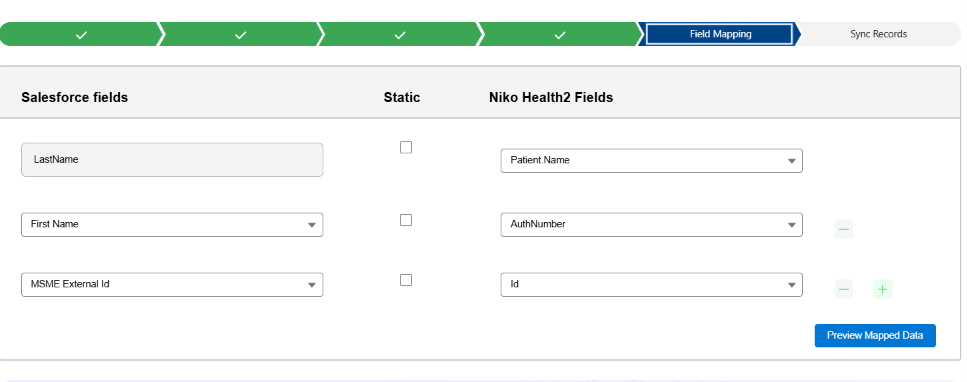
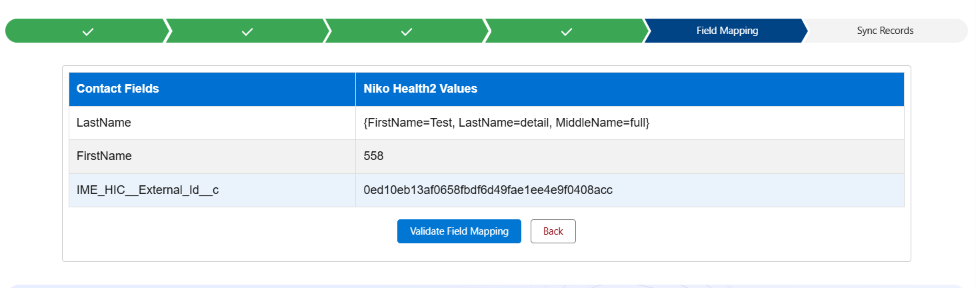
Step 5: Preview and Validate Mapping
- Click Preview Mapped Data.
- Review the sample Authorization data returned from NikoHealth.
- Validate the mapping and save it.
Step 6: Import Existing Authorizations
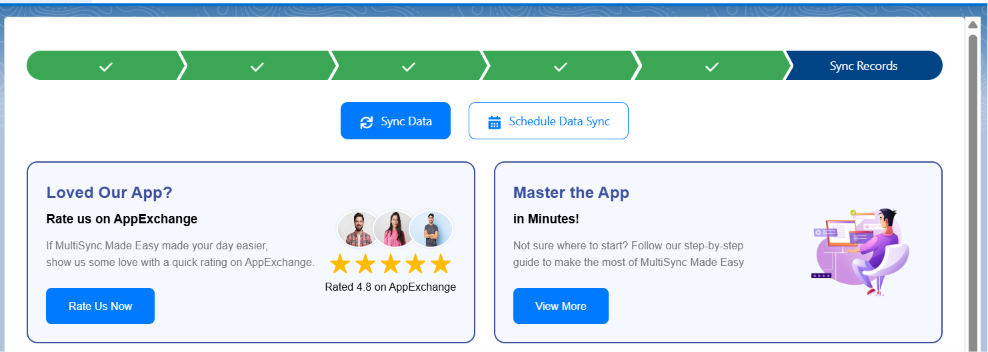
- Navigate to Sync Records.
- Choose Sync Data to import the records immediately, or Schedule Data Sync to run the synchronization automatically at a scheduled time.
- This imports all historical Authorization records from NikoHealth.
Step 7: Complete Legacy Authorization Synchronization
- MultiSync Made Easy processes Authorization records in batches.
The platform automatically:
- Retrieves Authorizations from NikoHealth
- Applies field mappings
- Creates or updates Salesforce Authorization records
- Prevents duplicate records
Patient Relationship Mapping
Each Authorization record is linked to a Patient. During synchronization:
Step 1: Fetch the Patient ID from NikoHealth.
Step 2: Search for the matching Patient record in Salesforce.
Step 3: Match the record using the stored Niko Patient ID.
Step 4: Populate the Patient lookup field on the Authorization record.
Result: The Authorization → Patient relationship is created successfully.
Step 8: Verify Authorization Synchronization
- Open the Patient record in Salesforce.
- Navigate to the Authorization related list.
Verify that the following Authorization details are available:
- Authorization Number
- Status
- Units
- Amount
- Start Date
- End Date
Real-Time Authorization Synchronization
After importing historical records, enable real-time synchronization.
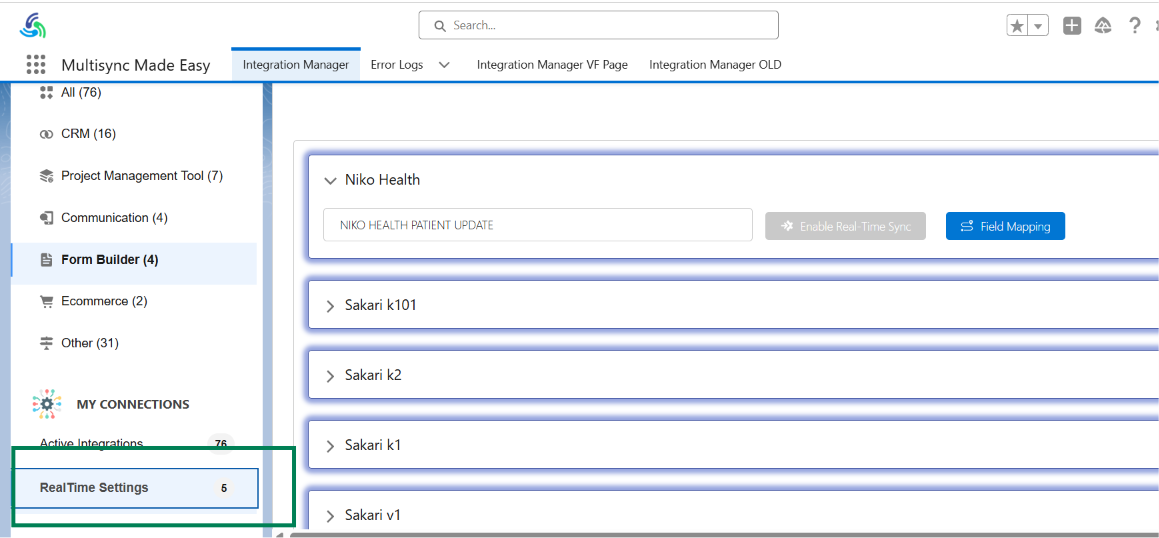
Step 9: Open Real-Time Settings
- Navigate to RealTime Settings.
- Locate the NikoHealth Authorization configuration.
Step 10: Configure Authorization Events
- Enable the Authorization Created and Authorization Updated events.
- These events automatically trigger synchronization whenever authorization information changes in NikoHealth.
Step 11: Enable Real-Time Sync
- Click Enable Real-Time Sync.
- Authorizations will now synchronize automatically into Salesforce whenever changes occur in NikoHealth.

Salesforce to NikoHealth Authorization Synchronization
MultiSync also supports synchronization from Salesforce back to NikoHealth.
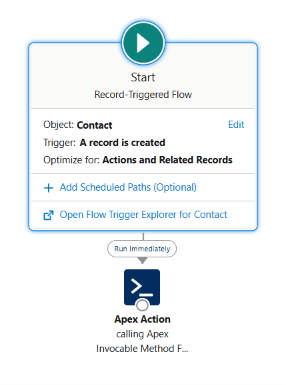
Step 12: Configure Salesforce Automation
- A Salesforce Flow is configured on the Contact object.
- Whenever an Authorization is Created or Updated, the Flow triggers an Apex Action.
- The Apex Action sends the updated Authorization information back to NikoHealth.
Step 13: Build and Send Authorization Payload
The integration prepares Authorization information, including:
- Authorization Number
- Payer Information
- Product Information
- HCPCS Codes
- Modifiers
- Units
- Amount
- Authorization Period
- Notes
- The prepared payload is then sent to NikoHealth.
Step 14: Verify Bidirectional Synchronization
NikoHealth → Salesforce
- Create or update an Authorization in NikoHealth.
- Verify that the changes are automatically reflected in Salesforce.
Salesforce → NikoHealth
- Create or update an Authorization in Salesforce.
- Verify that the changes are automatically reflected in NikoHealth.
Result
After implementing this configuration:
- Historical Authorizations are synchronized.
- Authorization updates are synchronized automatically.
- Patient relationships are maintained.
- Insurance relationships are maintained.
- Real-time synchronization is enabled.
- Salesforce can update NikoHealth.
- NikoHealth can update Salesforce.
- Duplicate Authorization records are prevented.
Conclusion
Keeping Authorization records updated between healthcare systems can be difficult when teams rely on manual processes. With MultiSync Made Easy, organizations can simplify the process and keep important authorization information accurate across platforms.
A properly configured Salesforce Niko Health integration helps maintain smooth data flow between both systems while keeping patient, payer, and authorization details connected. This makes it easier for teams to access the right information whenever they need it.
For businesses looking for reliable Salesforce integration services, HIC Global Solutions is a trusted Salesforce partner and service provider that helps organizations build and manage Salesforce integrations based on their requirements.
With the right approach for Niko Health with Salesforce, healthcare teams can create a connected system that supports better data management and daily operations.
Watch Demo Video:
Frequently Asked Questions
Yes. Salesforce Niko Health integration supports increasing data volumes, multiple users, and expanding workflows without disrupting operations. HIC Global Solutions helps organizations implement integrations designed to scale alongside business growth.
Yes. NikoHealth integration minimizes manual data handling, helping maintain consistent authorization information across connected systems. HIC Global Solutions delivers Salesforce integration services that improve data reliability and operational confidence.
Organizations should review data quality, security requirements, compliance standards, integration objectives, and future scalability. HIC Global Solutions assists healthcare providers in planning Healthcare CRM Integration strategies that support long-term business goals.
Healthcare CRM Integration provides unified access to operational and patient-related information, helping teams make informed decisions faster. HIC Global Solutions creates connected Salesforce environments that improve reporting and organizational visibility.
Professional Salesforce integration services help reduce implementation risks, improve data consistency, and accelerate deployment timelines. HIC Global Solutions provides experienced Salesforce specialists to deliver reliable, healthcare-focused integration projects.

 India
India  USA
USA UK
UK Canada