
Support agents spend a lot of time writing the same kind of customer emails, whether it is a case update, resolution message, or simple follow-up after an issue.
An email generator for Salesforce can help reduce this repetitive work by creating a first draft directly from the Case record, using the information already available in Salesforce.
With Salesforce API integration, Apex, Lightning Web Components, and Salesforce Models API, we can build a solution that creates contextual email drafts for support agents. In this step-by-step guide, we will build and configure the complete solution.
Solution Overview
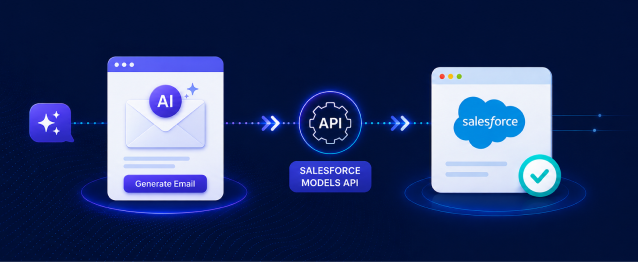
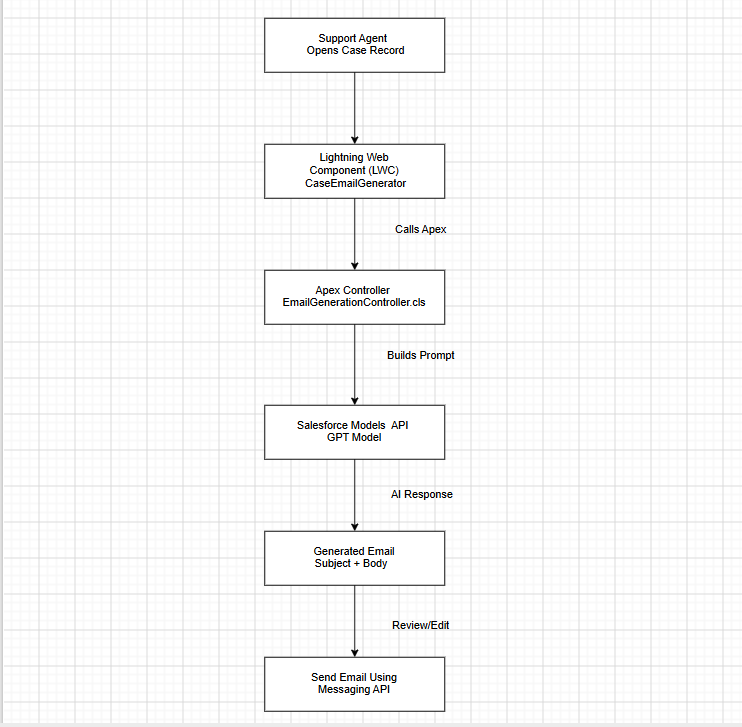
The solution uses Apex, Salesforce Models API, and a Lightning Web Component to generate and manage customer-support emails from a Case record.
Apex Class:
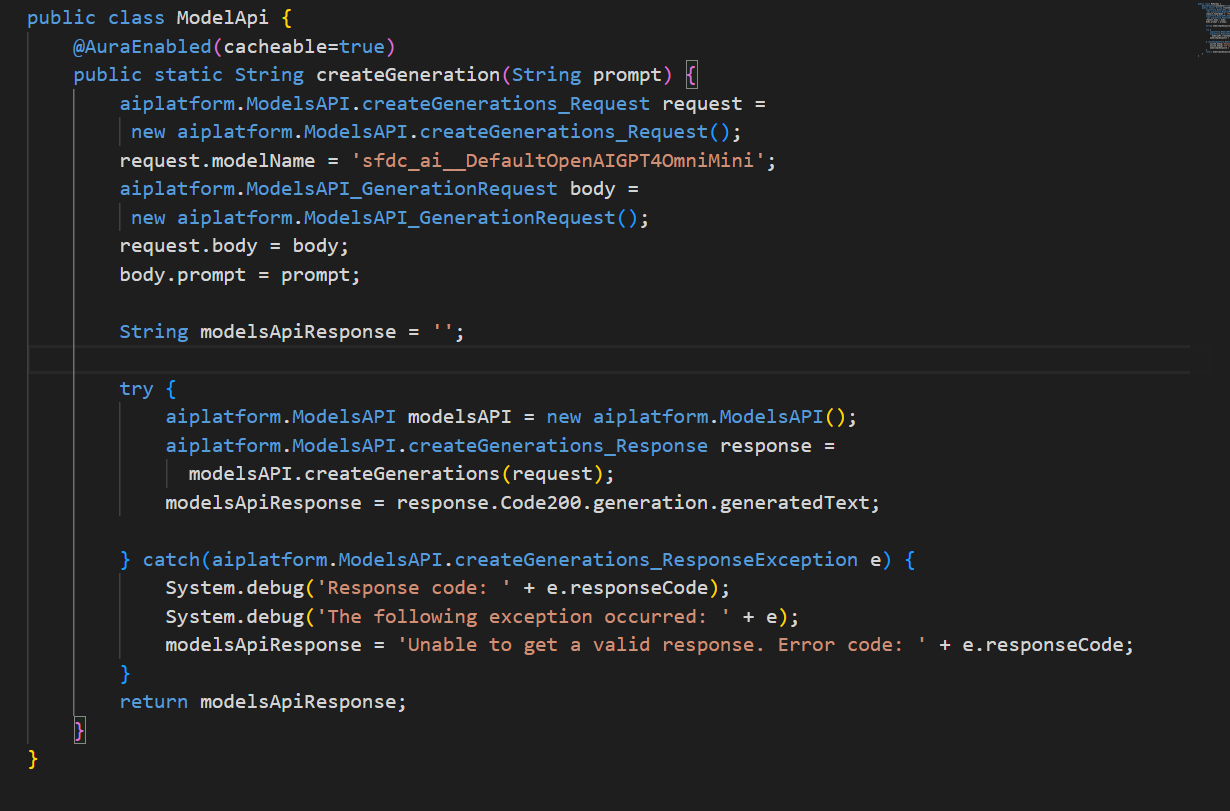
ModelApi.cls
- Integrates with the Salesforce Models API.
- Sends prompts containing Case information to the AI model (sfdc_ai__DefaultOpenAIGPT40mniMini).
- Receives AI-generated email content from the model.
- Handles API exceptions and returns generated responses.
EmailGenerationController.cls
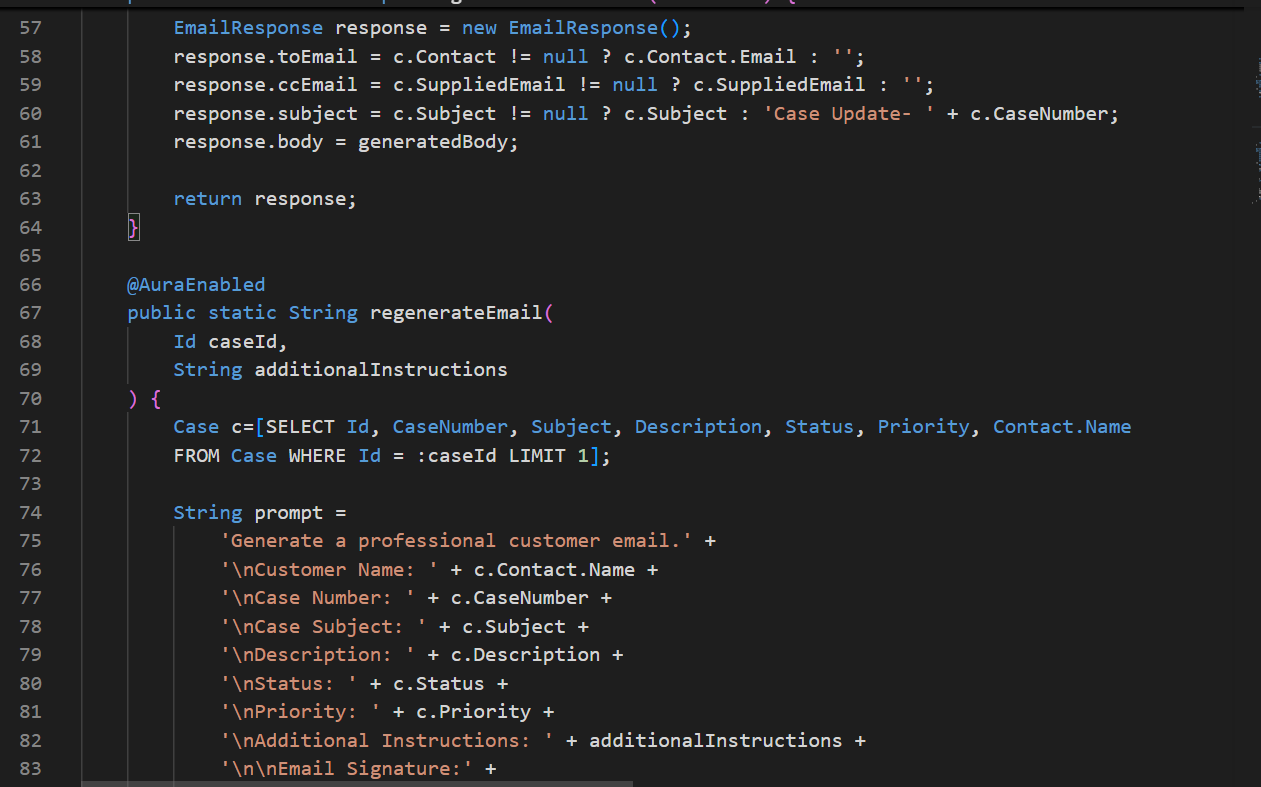
- Retrieves Case details, Contact information, status, subject, priority, product details, reason and engineering request information.
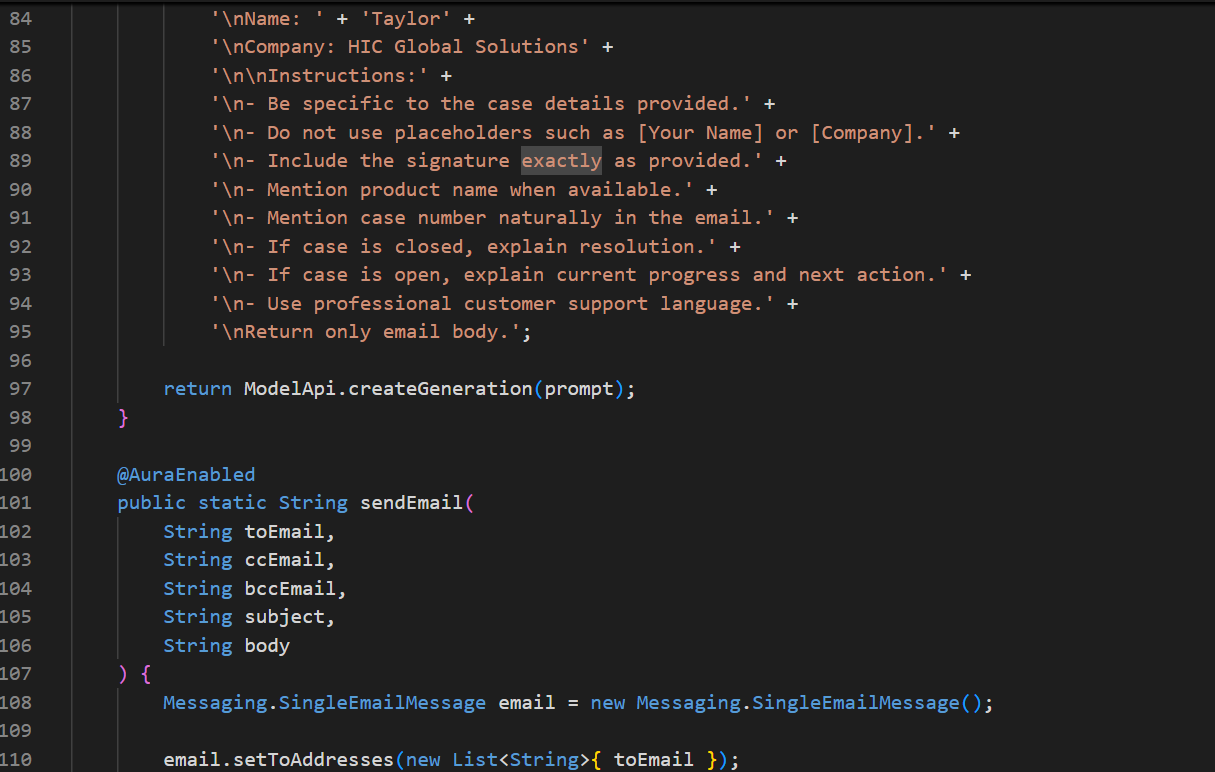
- Dynamically builds AI prompts using Case data.
- Generates professional customer-support email drafts through the Salesforce Models API.
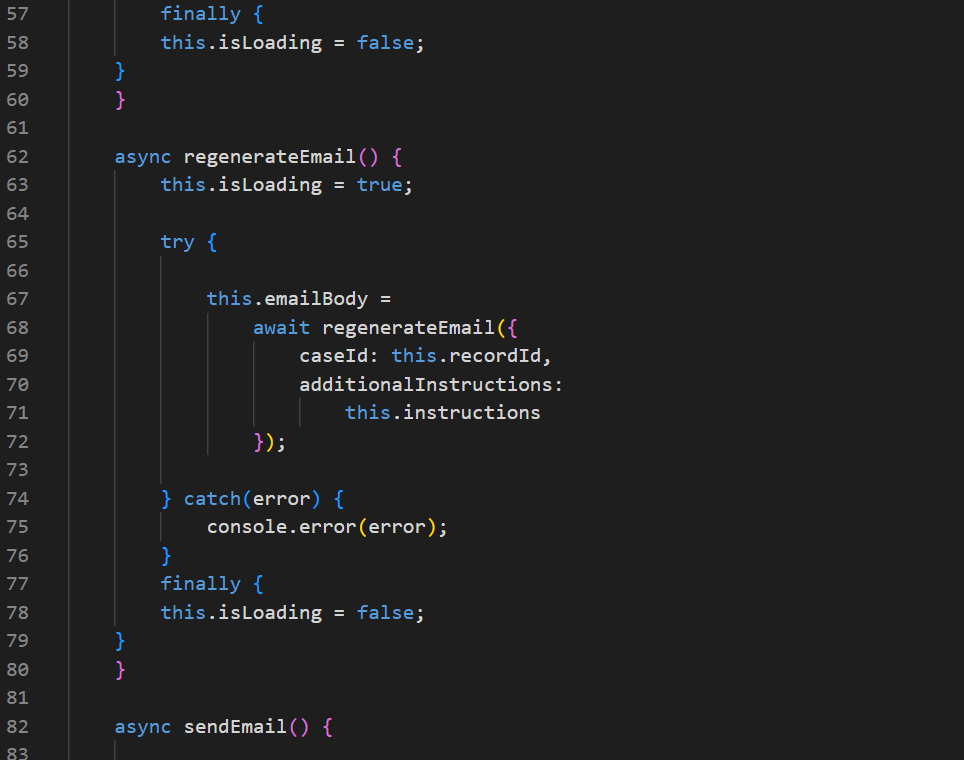
- Supports email regeneration based on additional user instructions.
- Returns structured email data (To, CC, Subject, and Body) to the Lightning Web Component.
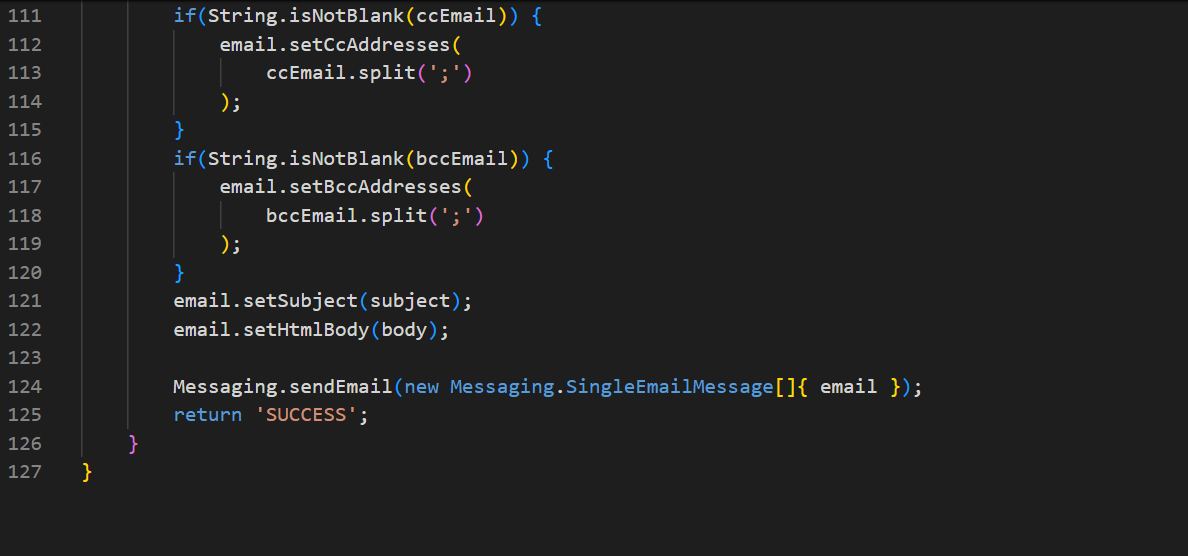
- Sends finalized emails using Salesforce Email Services (Messaging.SingleEmailMessage).
Lightning Web Component:
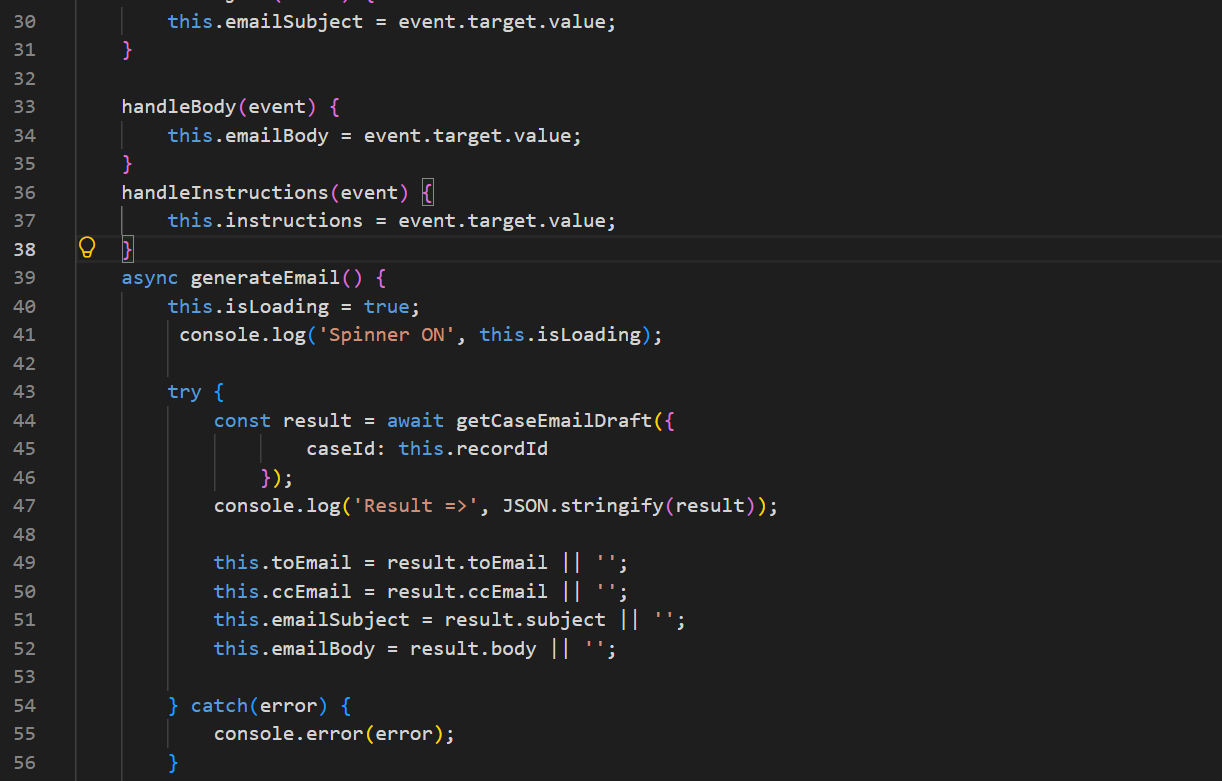
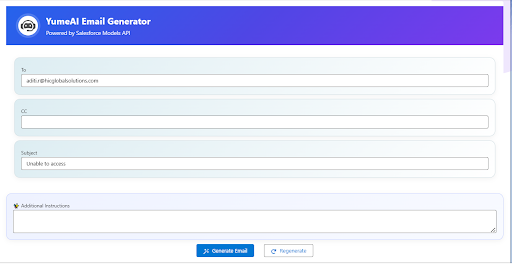
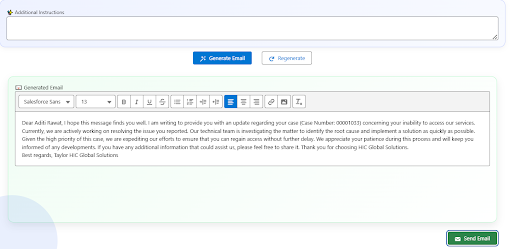
- Automatically generates an AI-powered email draft when the component loads.
- Displays recipient details, subject, and generated email content in an editable interface.
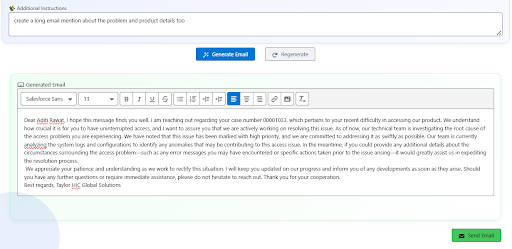
- Allows users to provide additional instructions for regenerating email content.
- Enables modification of the generated email before sending.
- Displays loading indicators during AI generation and regeneration requests.
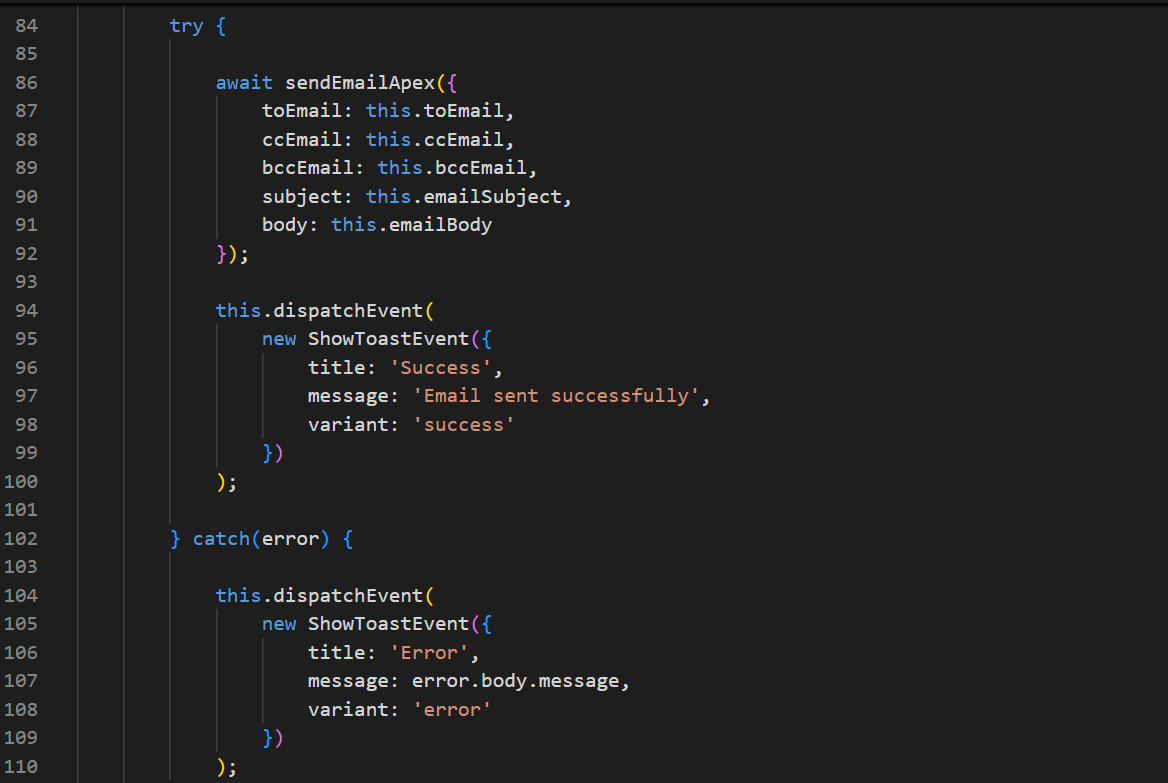
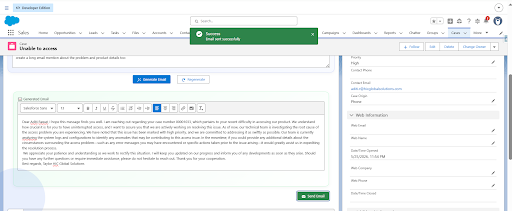
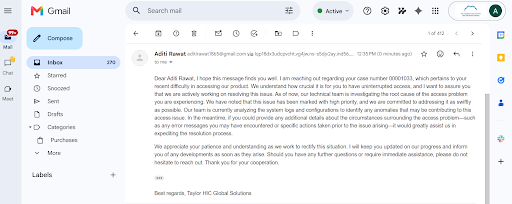
- Sends the finalized email directly from the Salesforce UI.
- Provides success and error notifications using Salesforce toast messages.
Architecture Diagram
What the Email Generator Can Do
Once implemented, the component can provide the following functionality:
- AI-powered customer support email generation using Salesforce Models API.
- Context-aware email creation based on Case information.
- Dynamic email regeneration with custom instructions.
- Editable rich-text email composer.
- Automatic recipient and subject population from Case records.
- Professional email formatting with predefined company signature.
- Direct email sending from Salesforce.
- Seamless integration with Lightning Experience.
Salesforce Models API
- Uses Large Language Models (LLMs) available within Salesforce.
- Generates intelligent, context-aware customer support emails based on Case data.
- Creates personalized email drafts and supports regeneration with additional instructions.
- Returns AI-generated email content for review, editing, and sending within Salesforce.
How Prompt Engineering Works
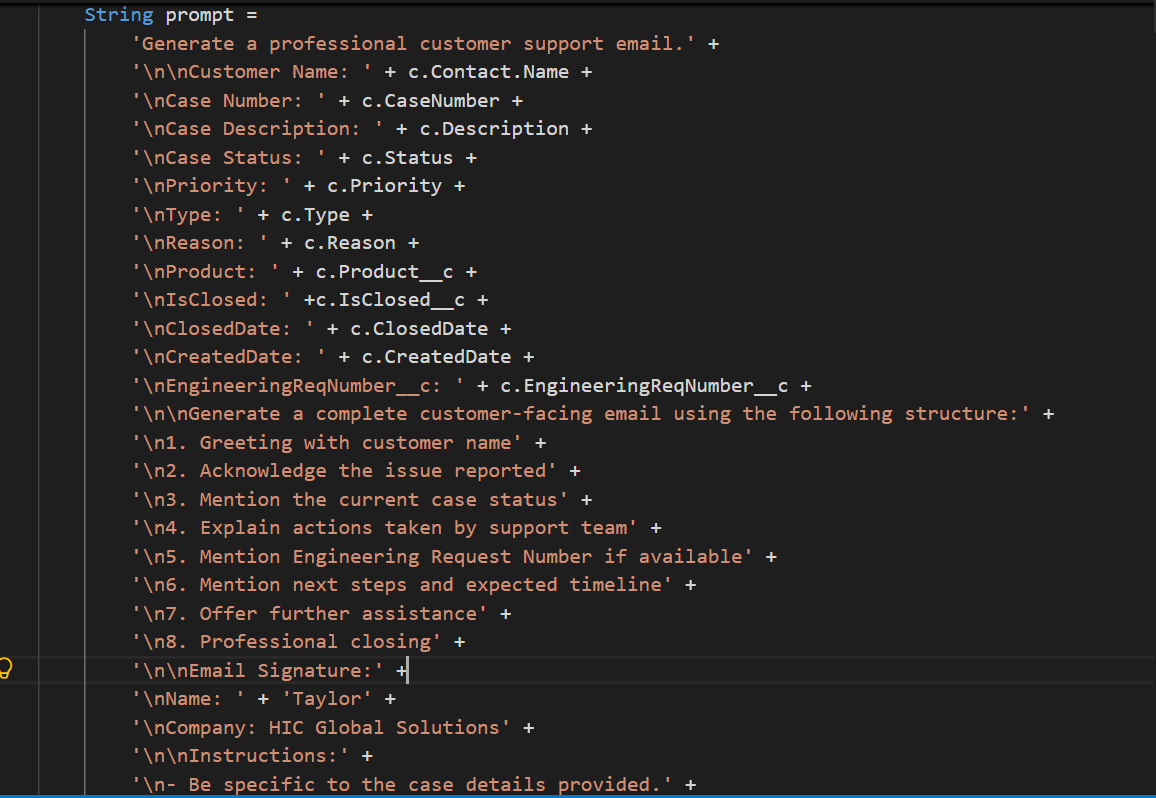
The Apex controller dynamically builds prompts using:
- Case Subject
- Priority
- Product
- Description
- Status
- Engineering Request Details
Example Prompt:
Prerequisites
Before implementing this solution, ensure:
Salesforce Requirements
- Enterprise, Unlimited, or Developer Org
- Einstein Generative AI enabled
- AI Platform permissions assigned
- Access to Salesforce Models API
{Setup -> Einstein Setup -> Turn on Einstein}
Required Permissions
Assign users:
- AI Platform User
- Prompt Builder User
- Einstein Generative AI User
Note:
Permission availability depends on your Salesforce edition and enabled AI features.
Step-by-Step Implementation
Below are the steps to create the Case email generation solution, configure the Apex logic, build the Lightning Web Component, and add it to the Salesforce Case page.
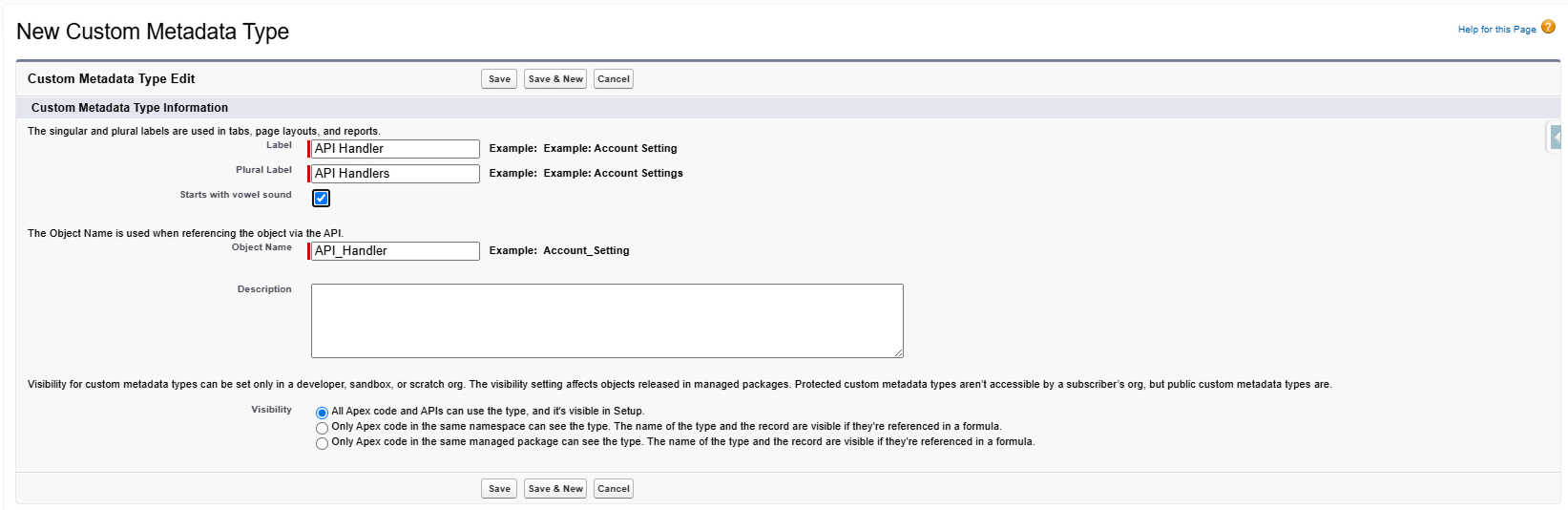
Step 1: Create the Apex Controller
Create an Apex controller that fetches Case information and sends prompts to the Models API.
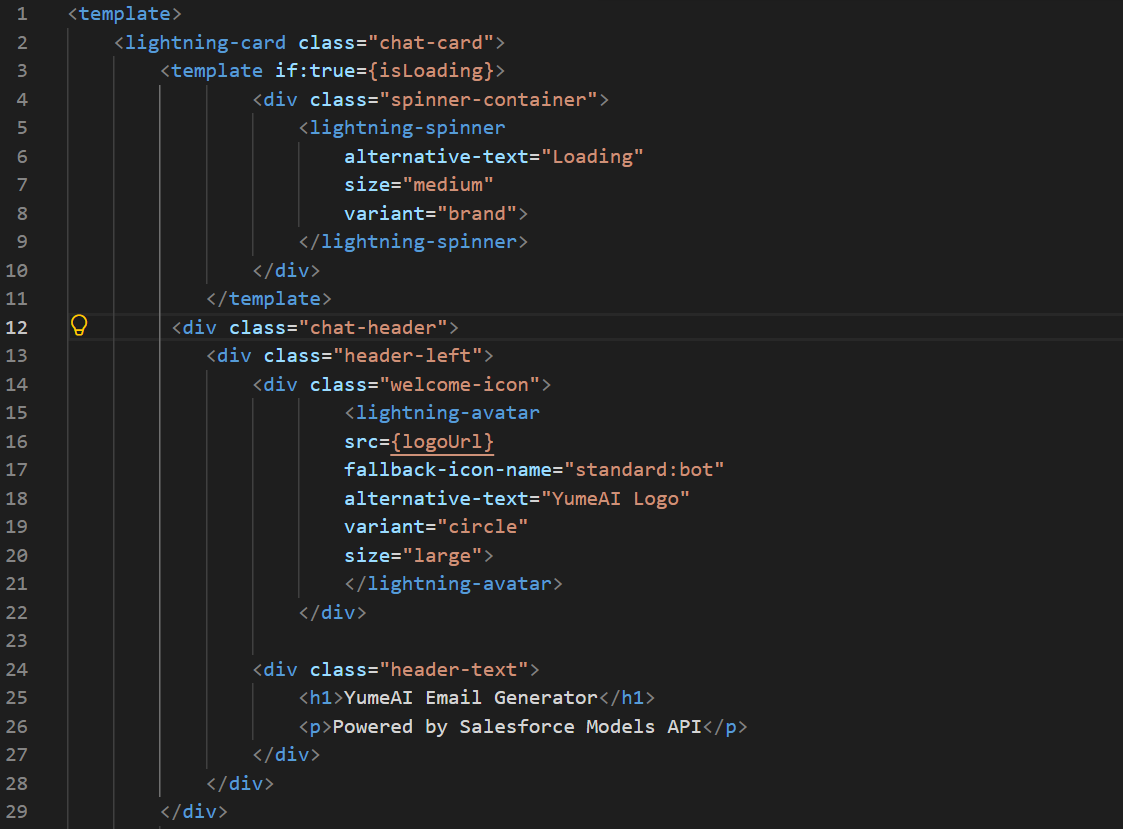
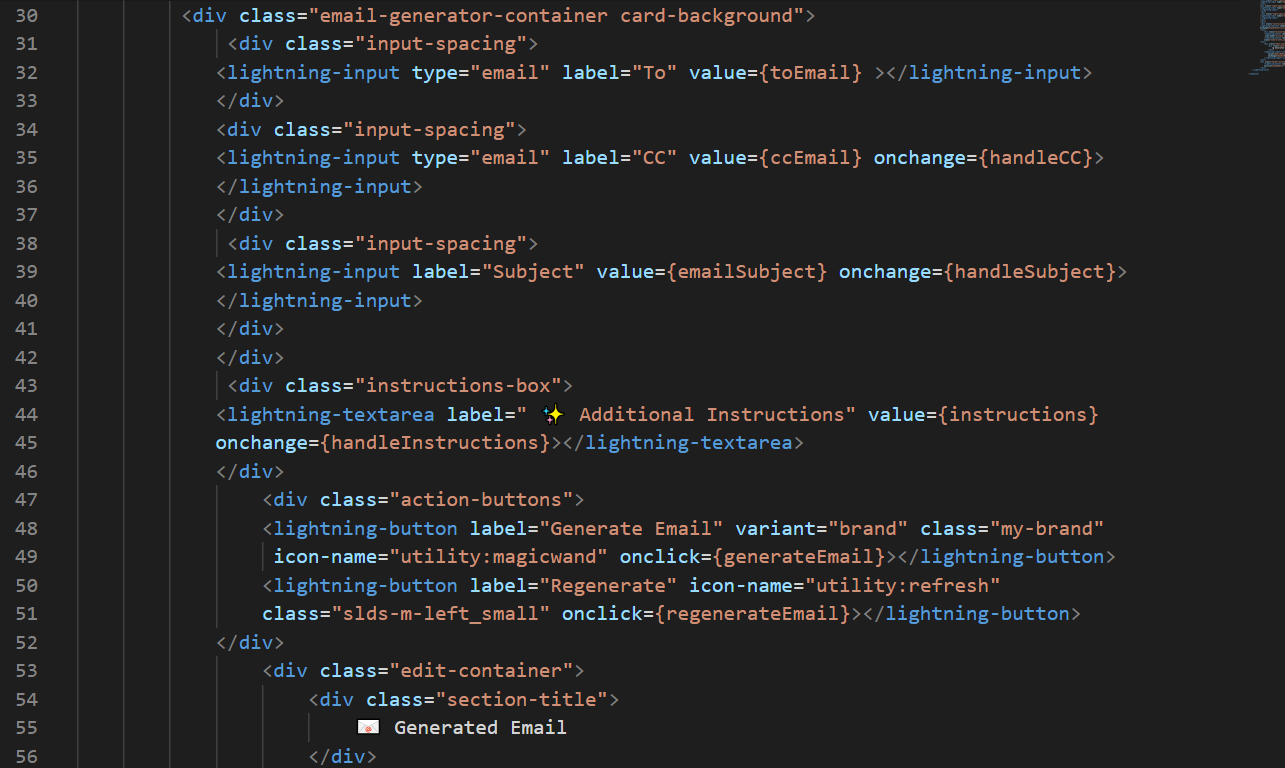
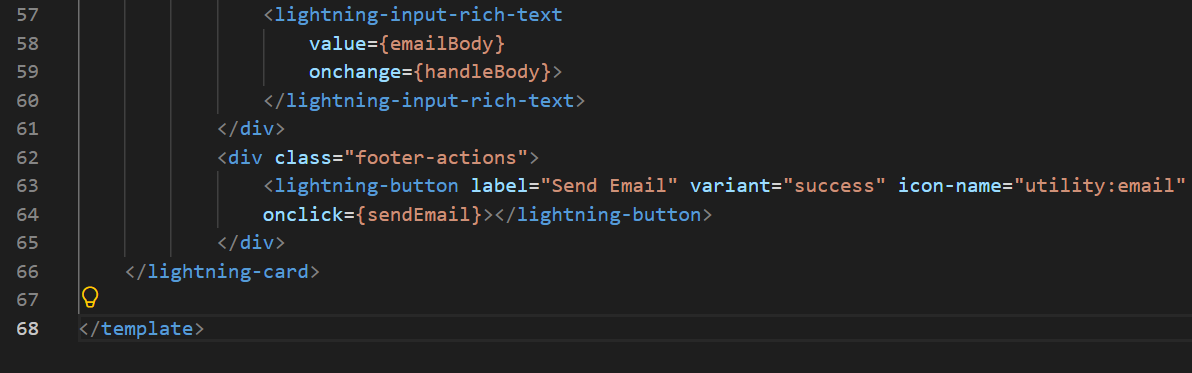
Step 2: Build the Lightning Web Component
Create an LWC that allows users to generate AI-powered emails directly from a Case record.
CaseEmailGenerator.html
CaseEmailGenerator.js
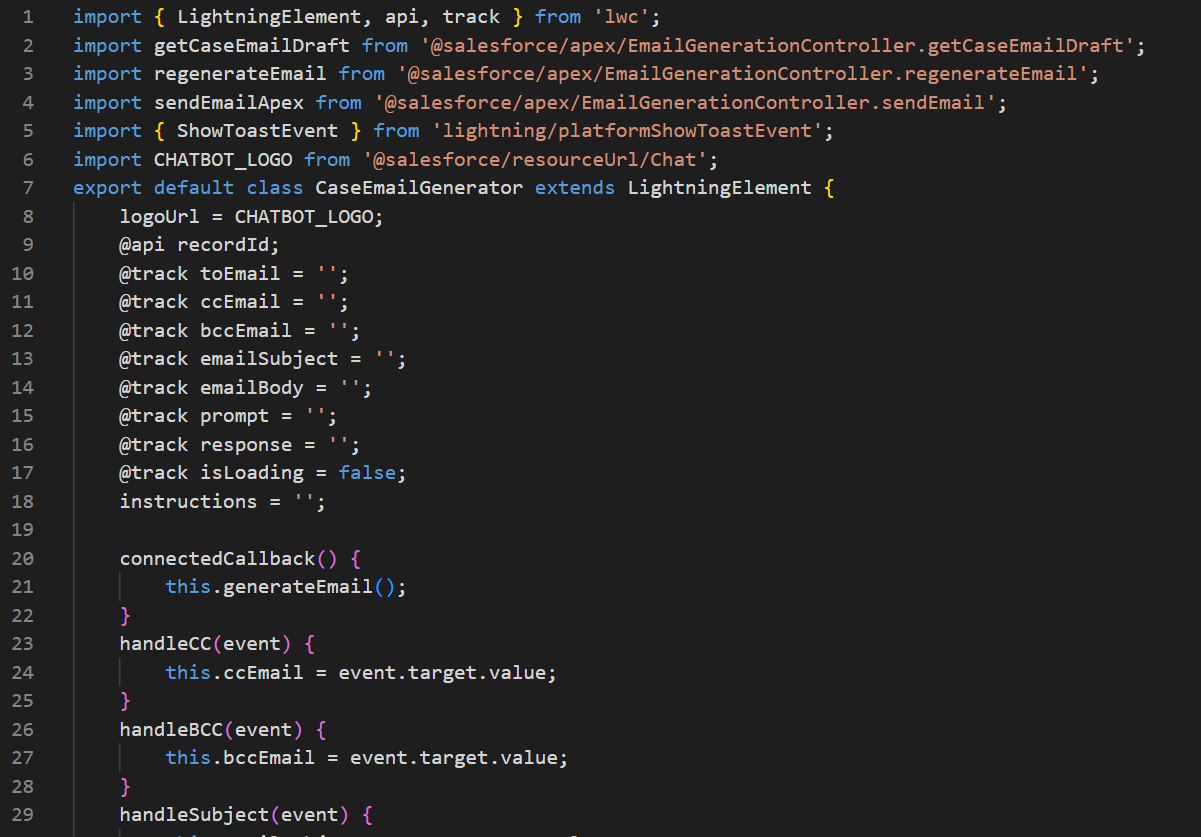

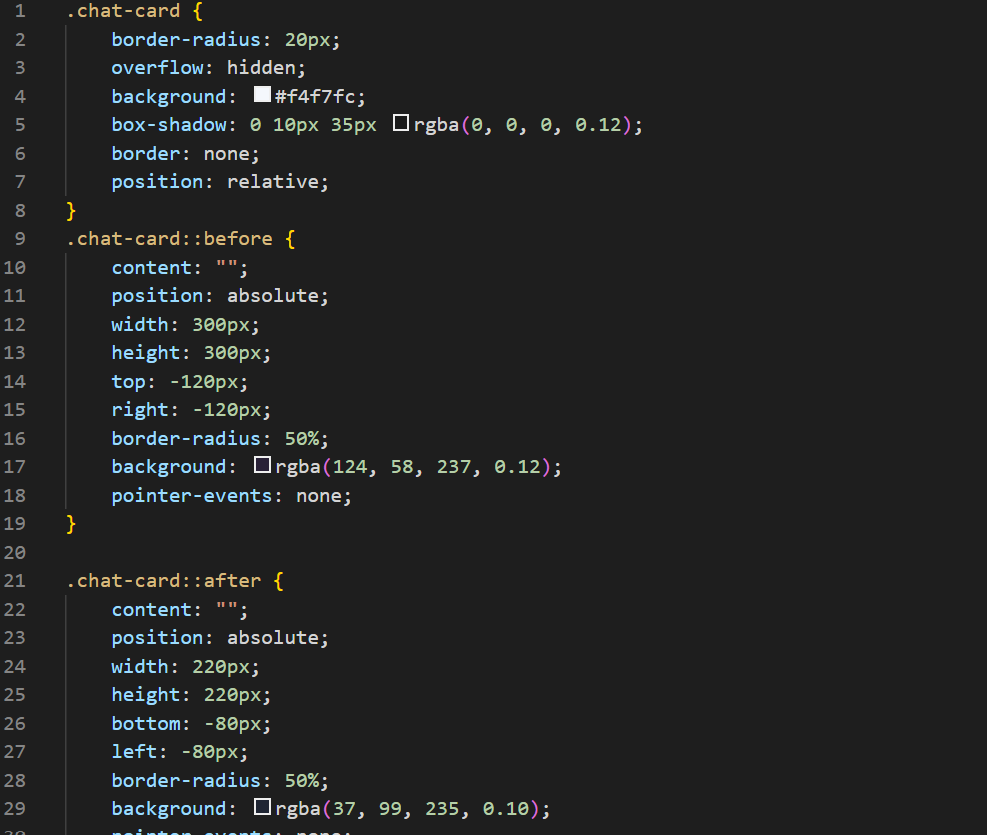
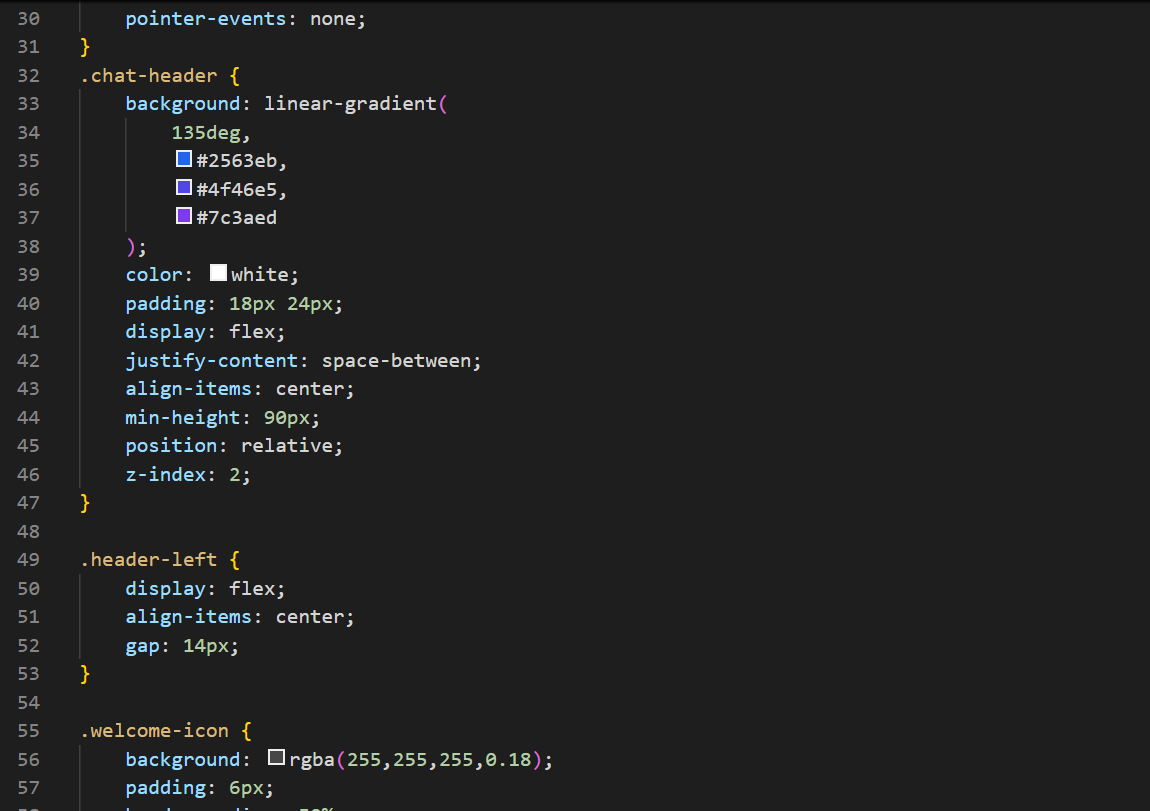
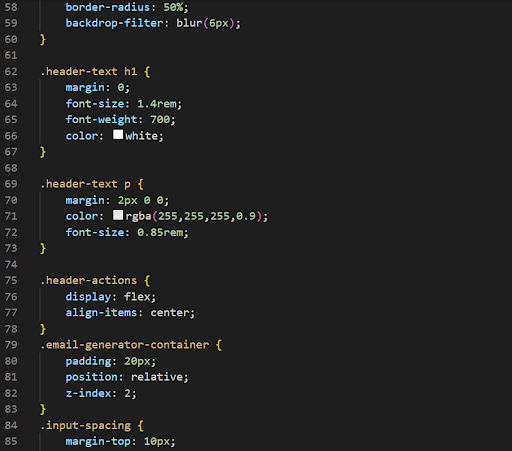
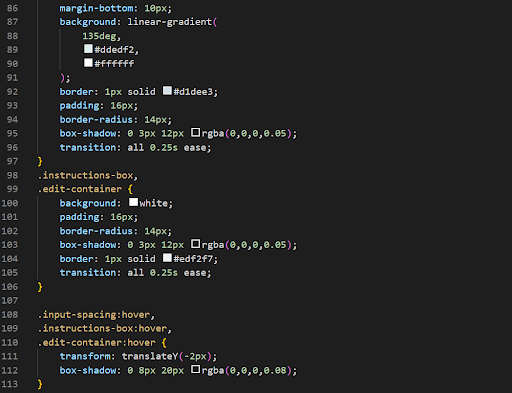
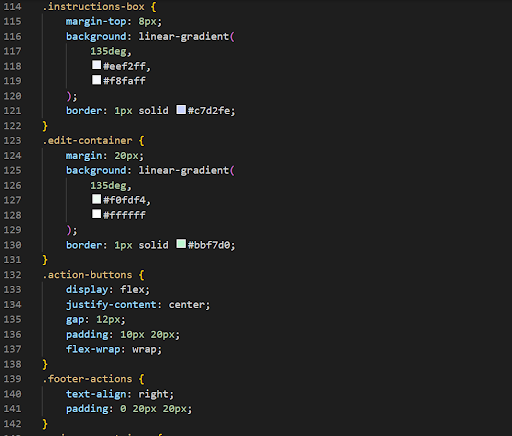
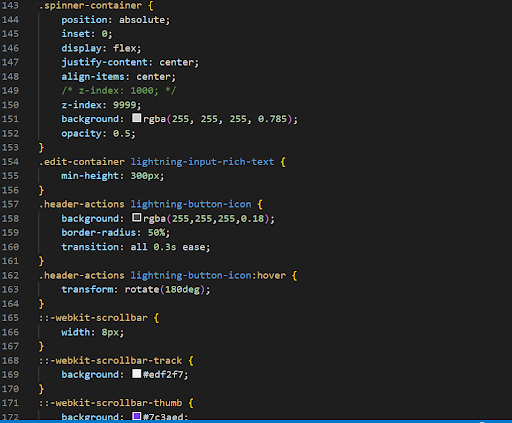
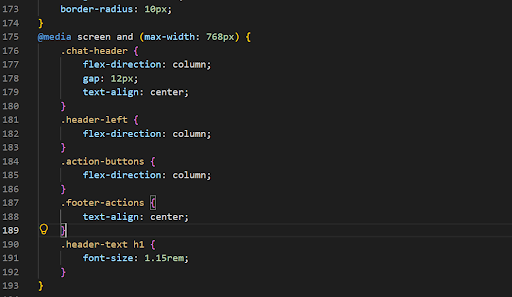
CaseEmailGenerator.css
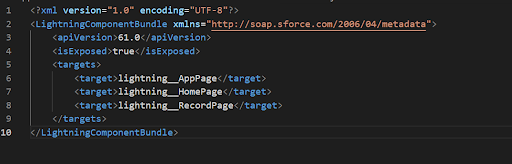
CaseEmailGenerator.js-meta.xml
Step 3: Add Component to Lightning Record Page
- Open a Case Record.
- Click Setup → Edit Page.
- Open Lightning App Builder.
- Drag caseEmailGenerator onto the page.
- Save and Activate the page.
The component is now available directly on Case records.
OUTPUT :
Watch Demo Video
Conclusion
Salesforce Generative AI makes it possible to bring intelligent automation directly into everyday CRM workflows. By combining Salesforce Models API, Apex, and Lightning Web Components, support teams can reduce repetitive email-writing work while keeping everything within Salesforce.
An AI email generator can use Case information to create relevant email drafts, which agents can review, edit, regenerate, and send based on the situation. Salesforce API integration also makes this solution easier to connect with existing Salesforce processes and workflows.
The same approach can be extended to other support activities, such as:
- AI-generated Case summaries
- Knowledge article suggestions
- AI-powered chat assistants
- Automated follow-up task creation
- Customer response recommendations
As Salesforce AI capabilities continue to evolve, developers can build smarter, faster, and more personalized customer experiences directly inside Salesforce.
Frequently Asked Questions
A consistent brand voice comes from defined tone, terminology, formatting, and review guidelines. HIC Global Solutions can further customize Salesforce AI email workflows around organizational communication standards.
Agents should verify customer details, accuracy, tone, and context before sending. HIC Global Solutions recommends keeping human review within the workflow to catch inappropriate or incomplete responses.
Yes, prompts can specify tones such as professional, empathetic, concise, or friendly. HIC Global Solutions can customize these instructions according to customer-service scenarios and organizational communication policies.
Standardized prompts, reusable components, governance, and monitoring help teams scale AI email workflows. HIC Global Solutions can extend Salesforce implementations as support volumes and requirements evolve.
Multilingual responses can be incorporated through appropriate instructions and model capabilities. HIC Global Solutions can help design Salesforce AI workflows that accommodate language requirements while preserving intended context and tone.

 India
India  USA
USA UK
UK Canada