
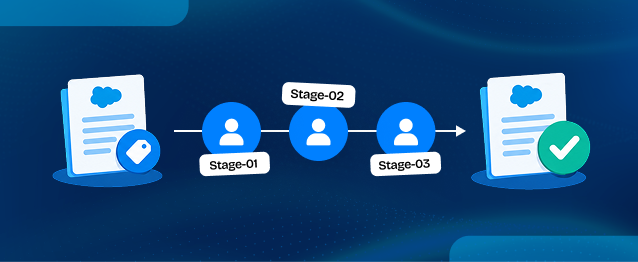
This blog outlines a multi-stage approval process for Salesforce Quotes, initiated by submitting a Quote for approval. The process includes locking the Quote, assigning a Work Item to the first-level approver, and evaluating whether further approval is needed based on the Quote amount and the user's approval limit. If the amount exceeds the limit, the Quote is routed to the manager for additional approval. The implementation aims to streamline Quote approvals, ensuring they reach the appropriate approvers efficiently.
When a Quote needs approval before it can be finalized, businesses may need one or more people to review it. In Salesforce, this process can be managed through an Approval Process, which helps ensure that each Quote reaches the right approver.
In this implementation, the goal was to create a dynamic, multi-stage approval process forSalesforce Quotes that starts with just one action: Submit for Approval. Once submitted, the Quote status changes from Draft to Needs Review, the record is locked, and a Work Item is assigned to the first-level approver.
After the first approval, Salesforce Flow checks whether the Quote amount exceeds the current user’s approval limit. If it does, another Work Item is assigned to the Quote Owner’s Manager for review. There is no Auto Approval action in this setup. Flow only decides whether another approval is needed; the assigned manager must still approve the Quote through the Work Item.
In this blog, we will walk through how this multi-stage approval process works and how businesses can manage Quote approvals with less manual coordination.
Business Requirement: A Multi-Stage Quote Approval Workflow
The objective was to create a controlled approval process where the next approval level depends on the Quote amount and the current user’s approval limit.
The required approval journey follows this sequence:
⬇
Needs Review
⬇
First-Level Approval
⬇
Quote Limit Validation
⬇
Manager Approval (if required)
⬇
Approved
The business requirements included:
- The user clicks Submit for Approval to initiate the process.
- The Quote moves from Draft to Needs Review.
- Salesforce locks the Quote record during the approval process.
- A Work Item is assigned to the first-level approver.
- After the first approval, Salesforce Flow compares the Quote Grand Total with the current user’s Quote Limit.
- If the amount exceeds the user’s limit, another Work Item is assigned to the Quote Owner’s Manager.
- The manager reviews and approves the Quote before it reaches the final Approved status.
- If the amount is within the user’s approval limit, the process completes without requiring another approval.
One important part of this implementation is that there is no Auto Approval action. Flow only checks whether another approval level is required. The assigned approver must still review and approve the record.
Solution: Implementing the Multi-Stage Approval Process
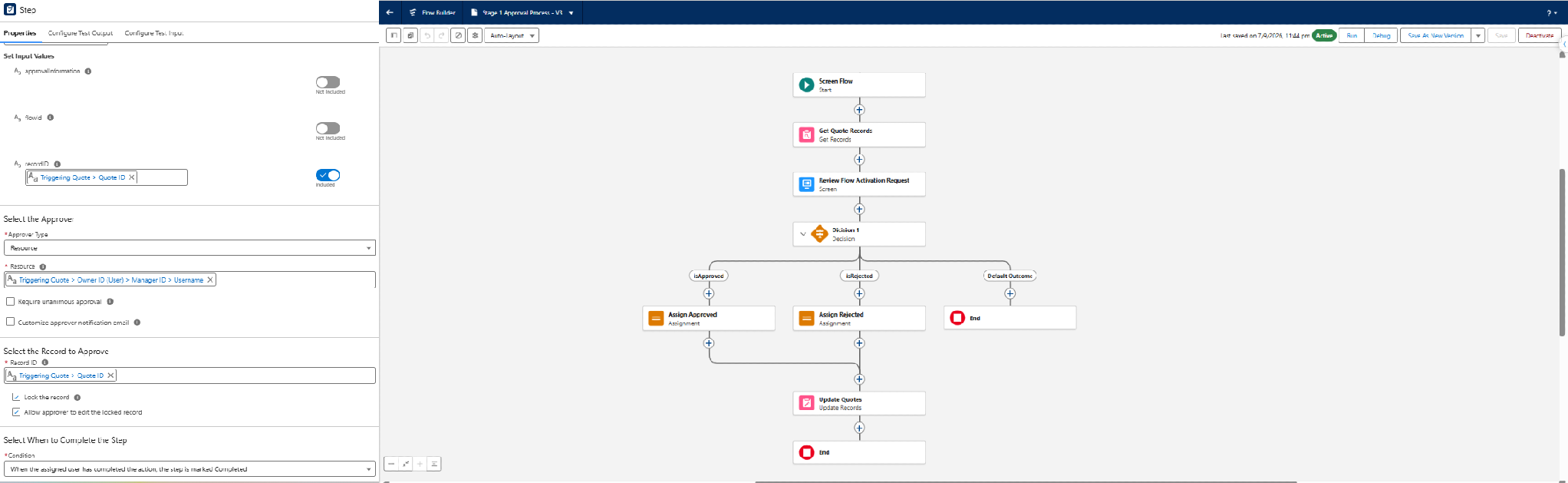
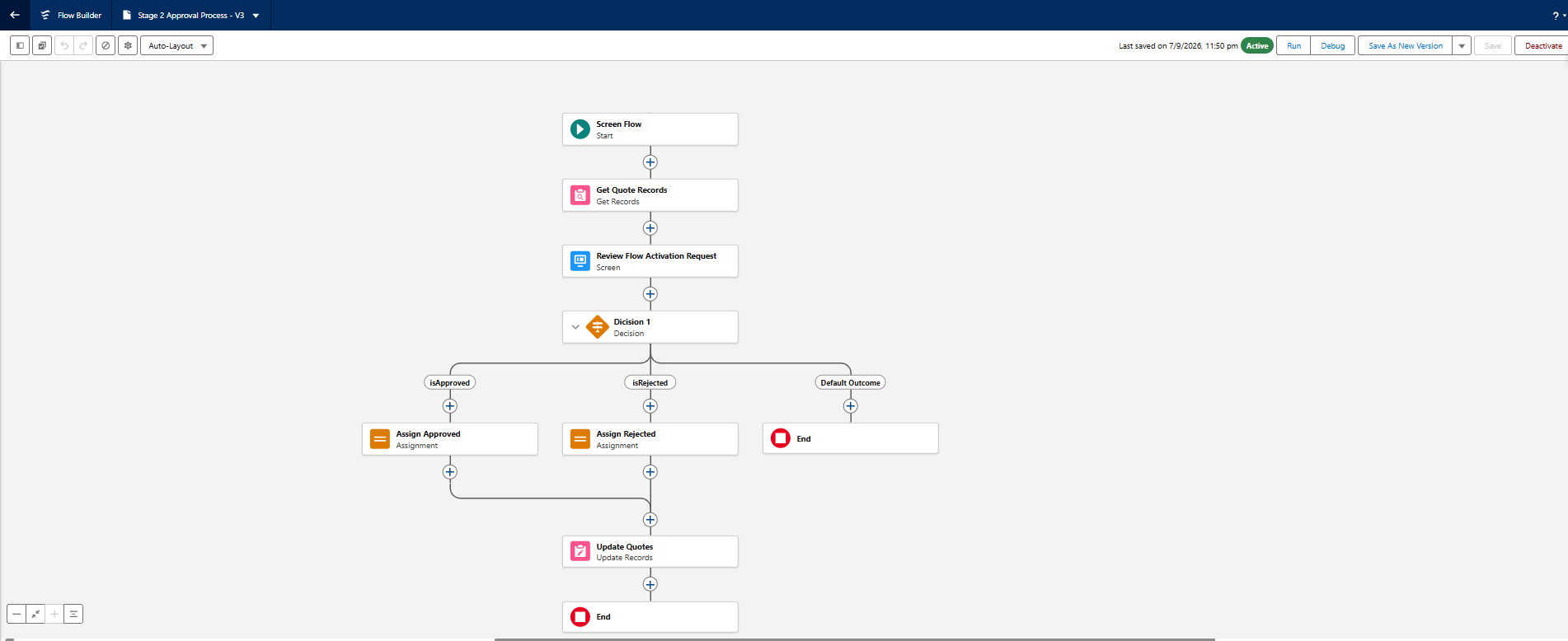
The implementation uses a Salesforce Approval Process to manage the initial submission and approval lifecycle, while Salesforce Flow handles the additional approval requirement based on the Quote amount.
Step 1: Submit the Quote for Approval
- Navigate to the required Quote record.
- Click the Submit for Approval button.
This action starts the configured SFDC approval process and sends the Quote into the initial review stage.
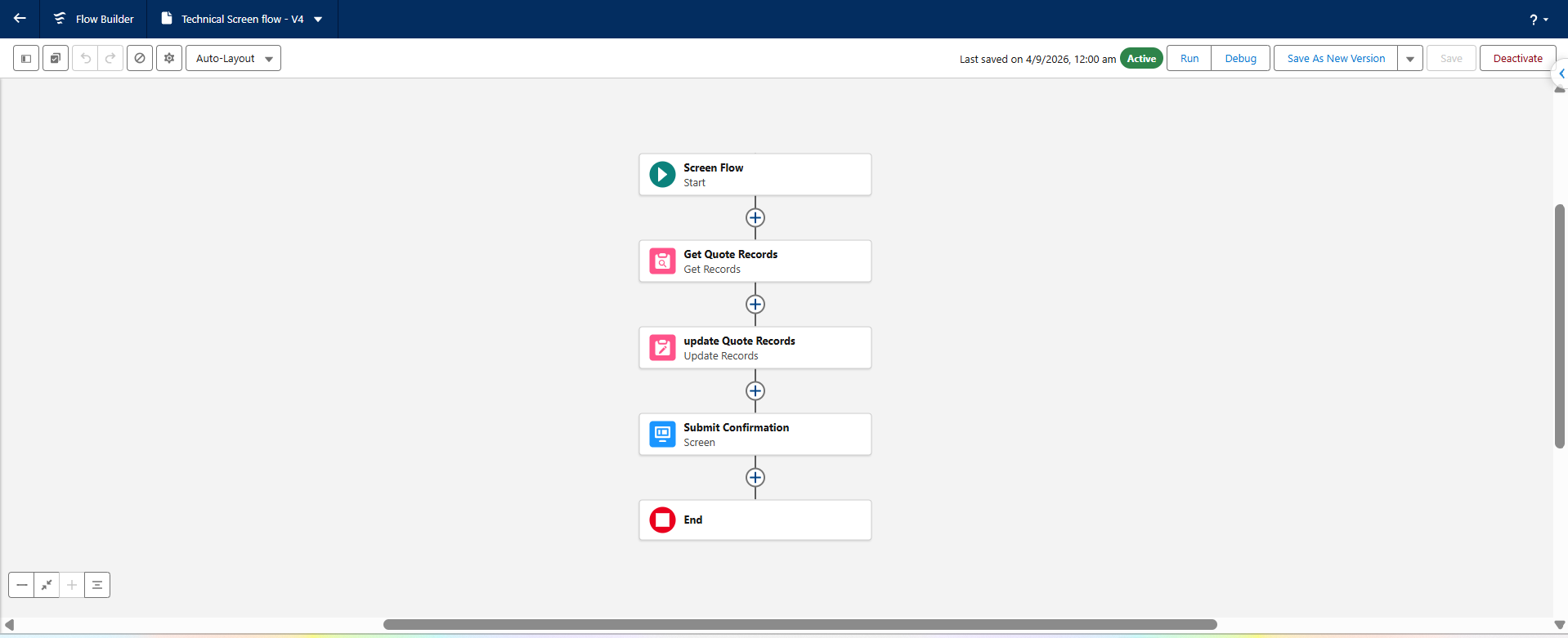
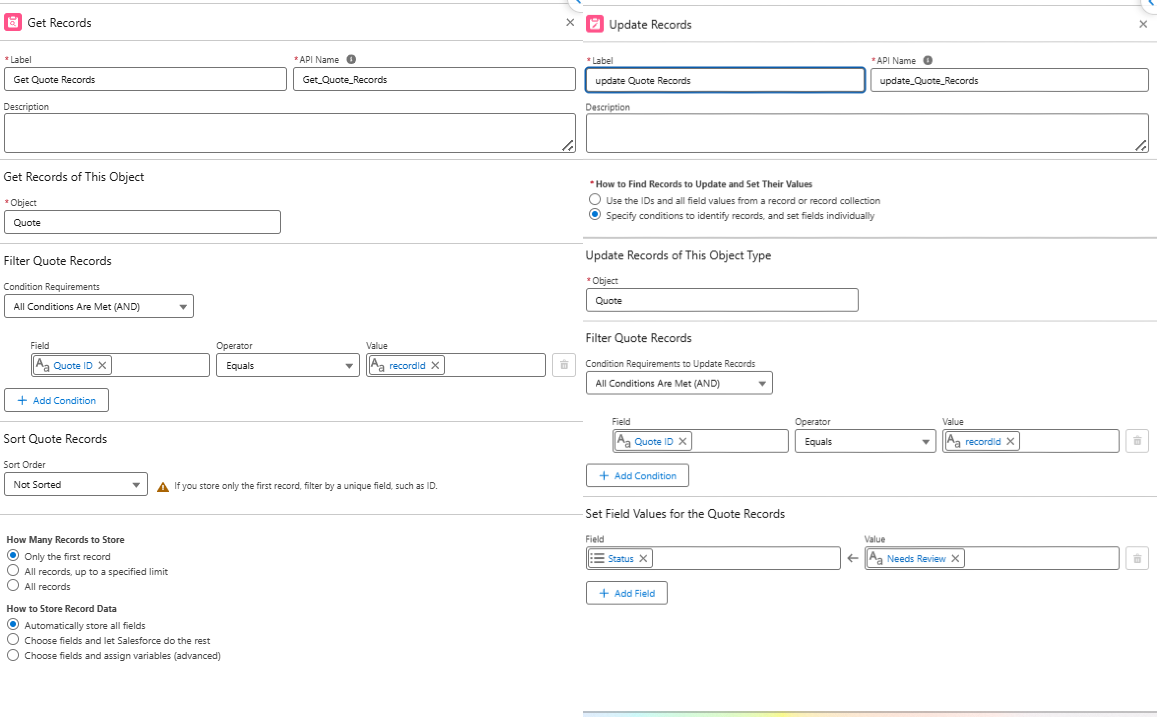
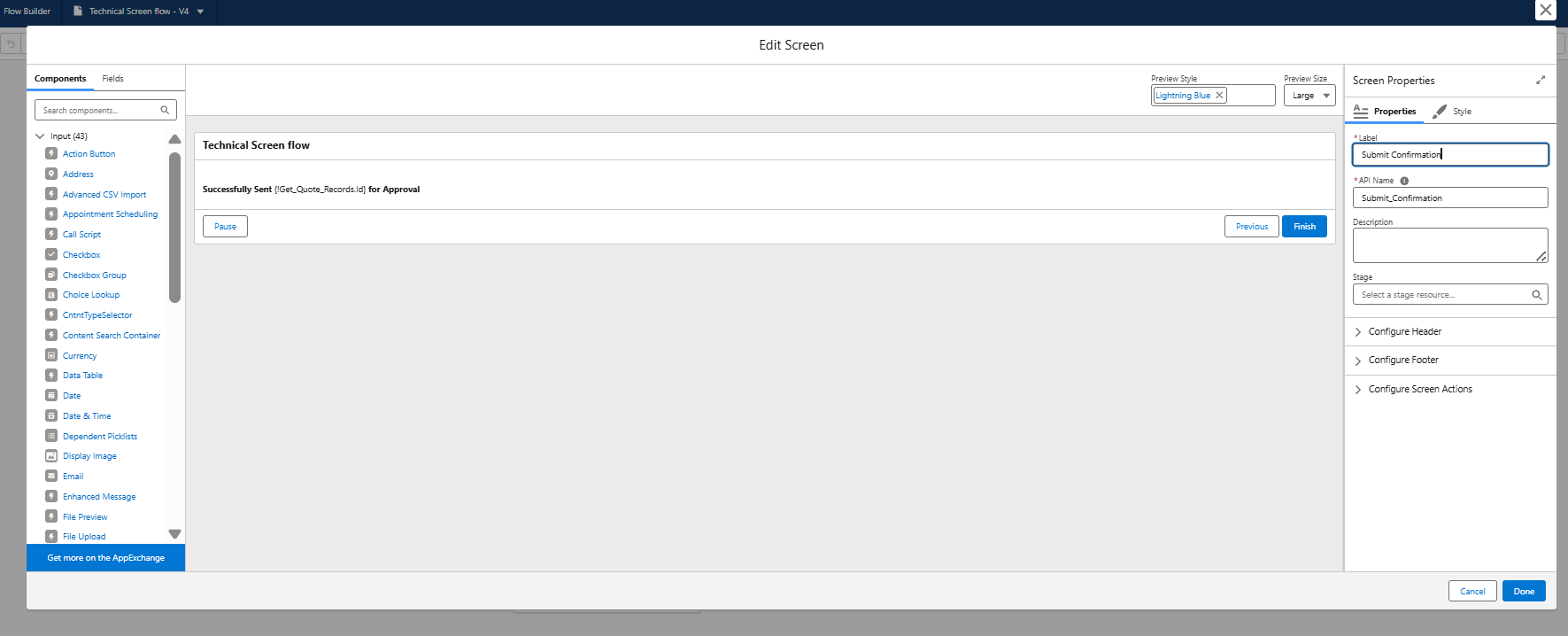
Step 2: Confirm Successful Submission
- After clicking Submit for Approval, a successful submission message appears.
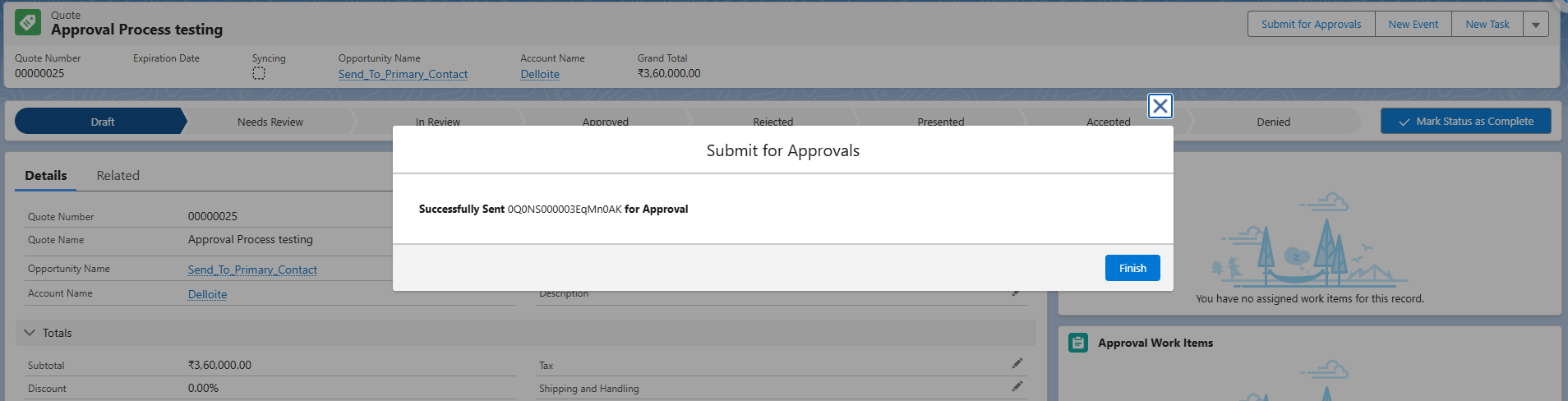
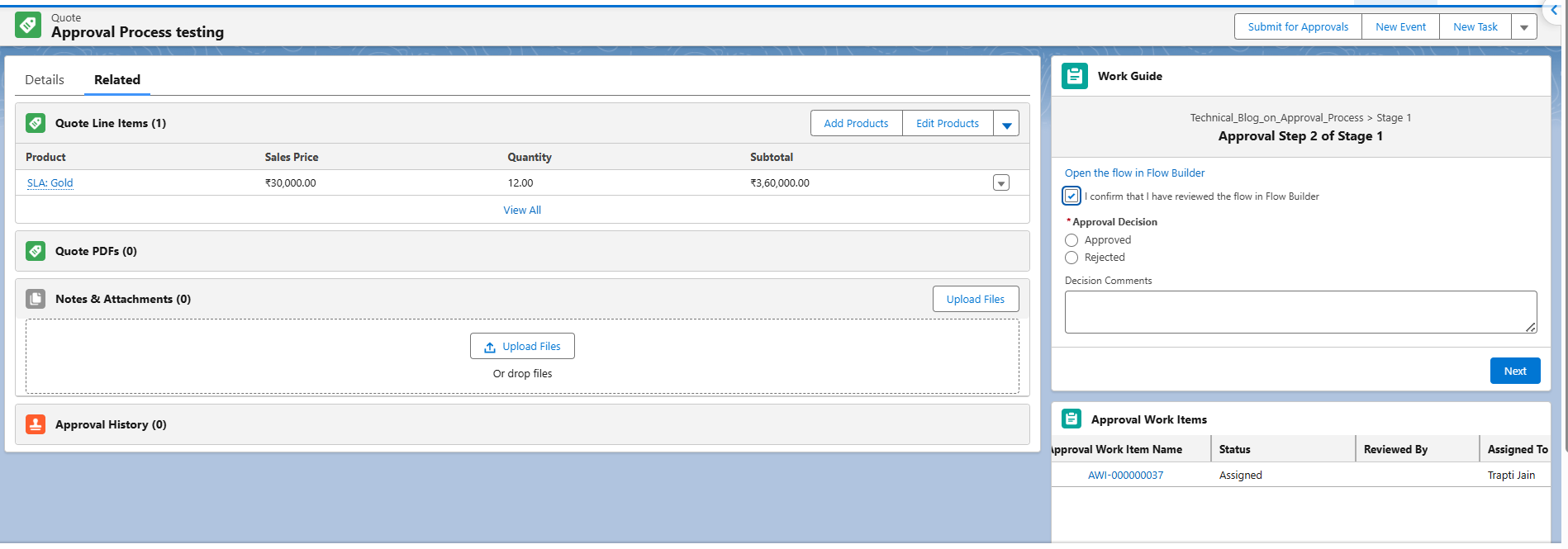
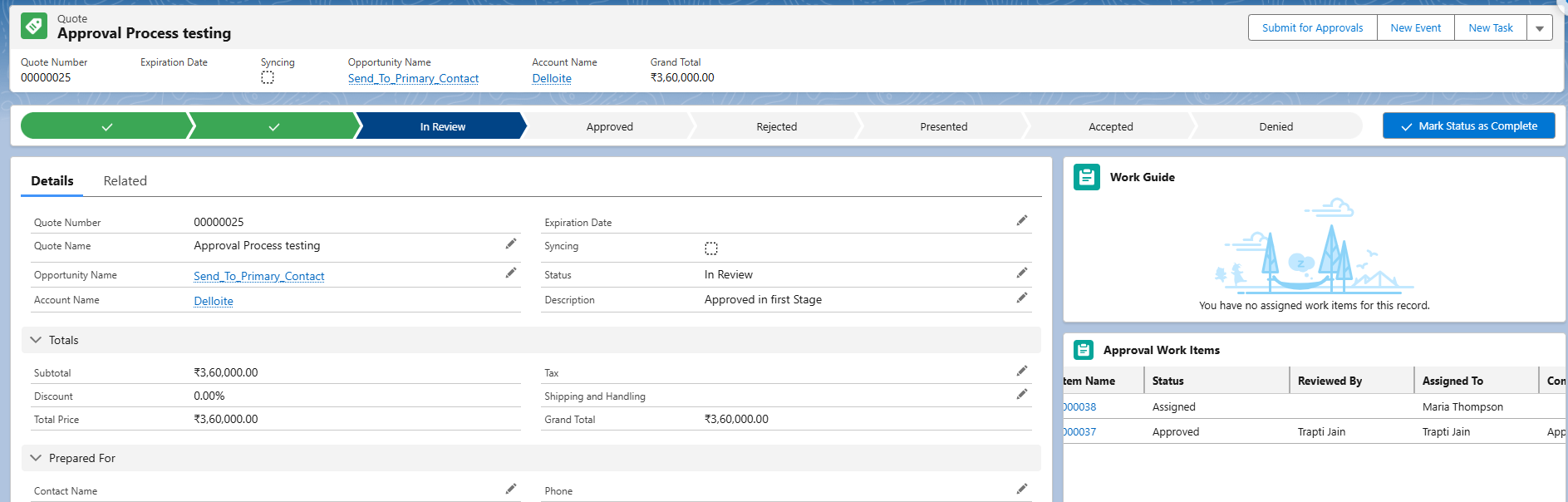
Step 3: Check the Approval Work Item
- Navigate to the approval Work Items assigned to the first-level approver.
- Open the newly created Work Item.
- Review the associated Quote details.
At this stage, the Quote record is locked, and the first-level approver can review the submitted information before taking an approval action.
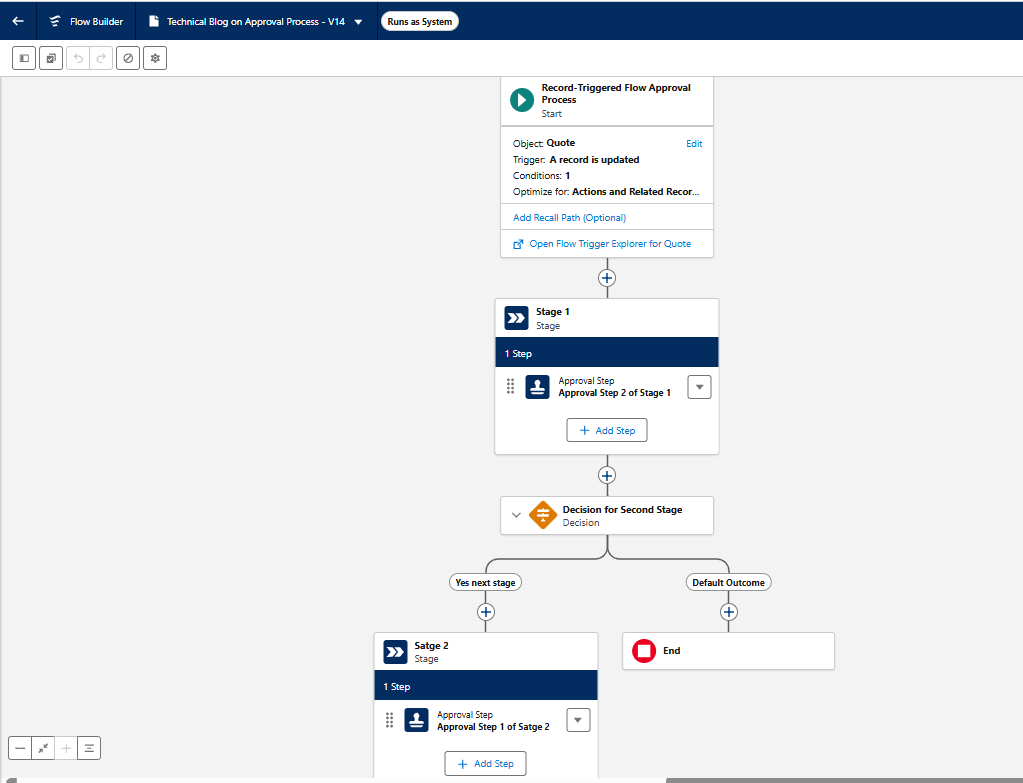
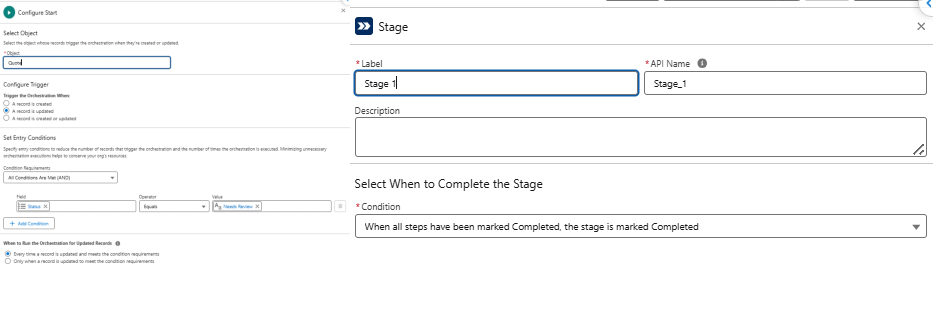
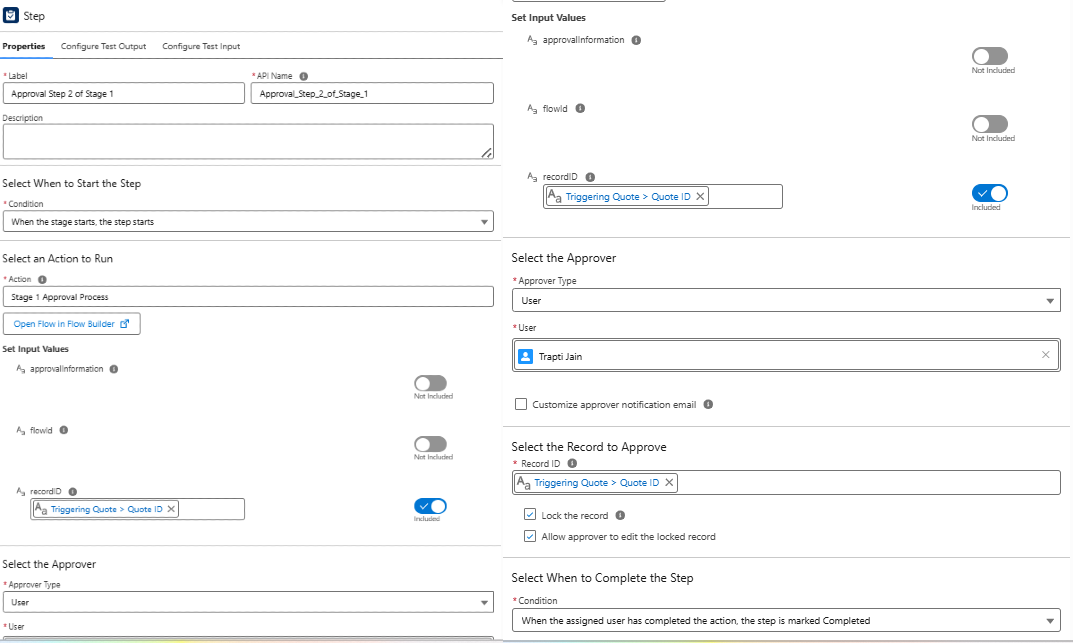
Step 4: Route the Quote to the Manager When Required
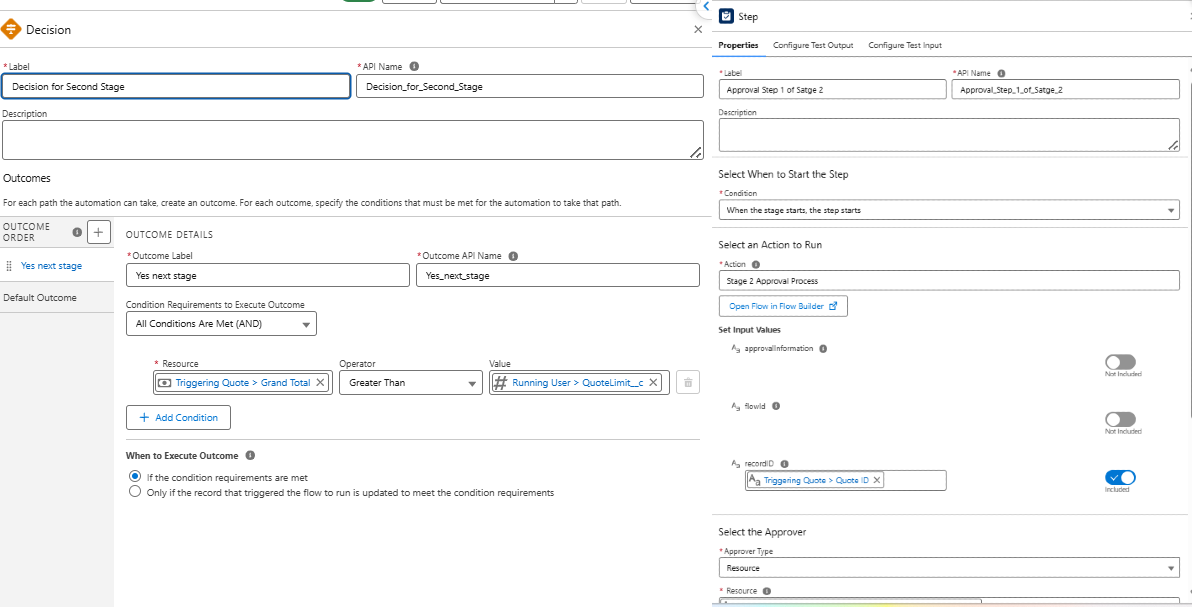
After the first-level approver approves the Quote, Salesforce Flow evaluates the approval limit.
It compares the Quote Grand Total with the current user’s Quote Limit:
- If Grand Total is within the user’s Quote Limit: No additional approval is required, and the Quote can proceed to the final Approved status.
- If Grand Total exceeds the user’s Quote Limit: The Quote Owner’s Manager receives a new approval Work Item.
This is where the dynamic logic comes into play. The second approval is created only when the Quote amount exceeds the defined limit.
Step 5: Complete the Manager Approval
- The Quote Owner’s Manager opens the assigned Work Item.
- Reviews the Quote details and approval requirement.
- Once the manager approves the Quote, its status changes to Approved.
This completes the multi-stage approval journey for Quotes that require additional authorization.

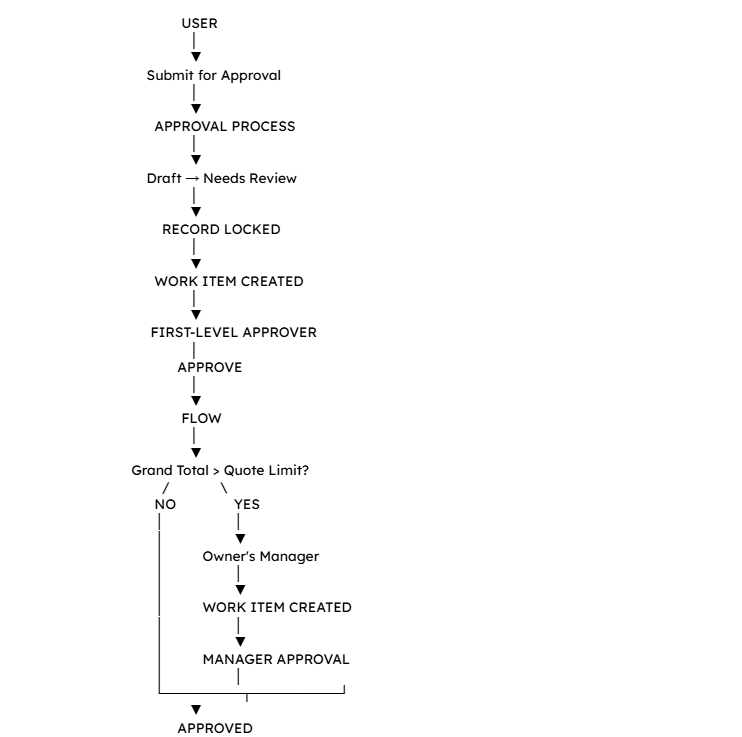
End-to-End Process
The complete technical process can be summarized as:
Conclusion
The main goal of this implementation was to make Quote approvals simple, controlled, and easier to manage. With just one click on Submit for Approval, users can start the process while Salesforce handles the approval steps based on the Quote amount and the user’s approval limit. This ensures that every Quote reaches the right person before getting its final Approved status.
At HIC Global Solutions, we help businesses build Salesforce solutions that fit their actual business processes. Whether you need a custom approval workflow, Salesforce automation, or other Salesforce services, our team can help you simplify everyday tasks and make your Salesforce setup work better for your business.
For any queries or assistance, contact us at Sales@hicglobalsolutions.com.
Frequently Asked Questions
A multi-stage Salesforce Quote approval workflow routes Quotes through multiple approvers based on predefined conditions, such as approval limits and Quote amounts.
Salesforce Flow evaluates the Quote Grand Total against the current user’s approval limit and determines whether an additional manager approval is required.
A Salesforce Quote requires manager approval when its Grand Total exceeds the current user’s defined Quote approval limit.
In this implementation, no Auto Approval action is used. Flow checks the approval limit, and the Quote proceeds to the final Approved status when no additional approval is required.
A Salesforce partner like HIC Global Solutions can help configure Approval Processes, automate approval routing with Flow, and build custom workflows aligned with business requirements.





 India
 USA
 UK
 Canada