


Loading...

Salesforce CPQ software offers robust features for managing pricing, product configurations, and quotations. The capacity to effectively modify and renew contracts is essential for businesses managing intricate agreements and long-term partnerships.
In this guide, we’ll walk you through the details of contract amendment and renewal processes in Salesforce CPQ.

About Salesforce CPQ Contract Amendments

Modifications made to an existing contract are commonly referred to as contract amendments. This could include adjusting pricing terms, introducing new items, or eliminating products from the agreement.
Salesforce CPQ Offers an efficient method for managing these modifications, guaranteeing that modifications are appropriately reported without causing disparities between sales and legal teams.

Important Contract Amendment/Renewal Features:

  1. Seamless Process: Salesforce CPQ permits changes without interfering with the terms of the existing agreement. Small modifications to a contract can be easily made by firms without requiring them to start from scratch.
  2. Synchronization with Subscription Products: Contract modifications guarantee that new products or price adjustments are in line with the subscription’s lifecycle if your company deals in subscriptions.
  3. Consistent Pricing: There are a few different approaches to handling renewal pricing, ranging from sticking with the initial amount to implementing new pricing schemes based on client usage or industry developments.

Things to Consider:

  • Price modifications are prohibited by amendments.
  • Prices will not change if current products are modified. Prices from the current subscription line are still the same.
  • Any further savings from the initial price are locked in and kept.
  • You can freely discount new quotation lines.

Steps to Amend a Contract in CPQ

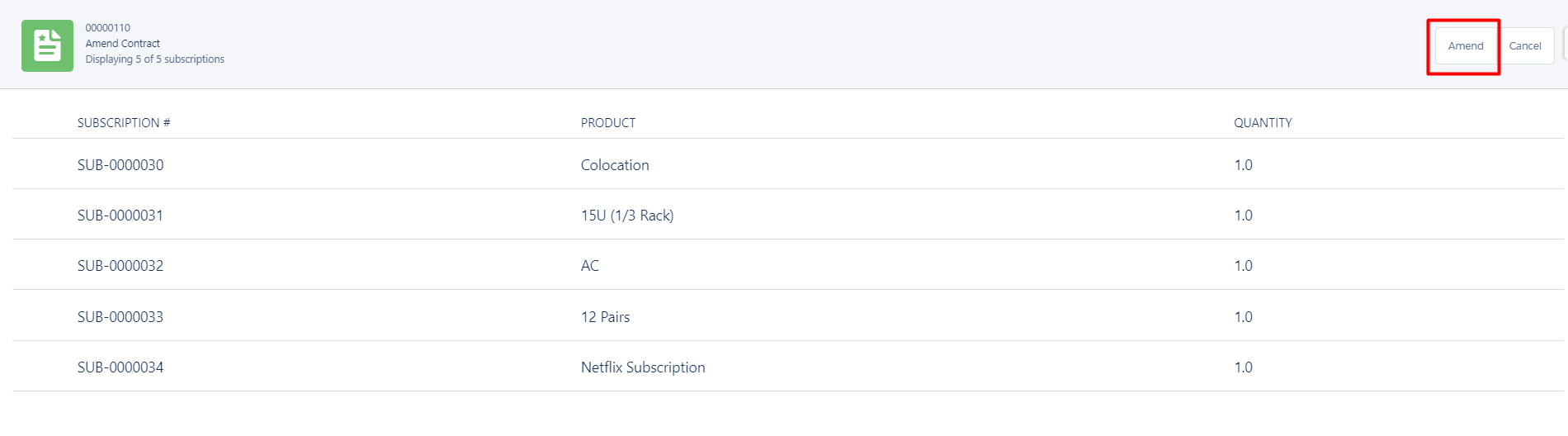
Step 1: Click on Contract record need to amend —> Amend Button

Screenshot 18
Screenshot 1

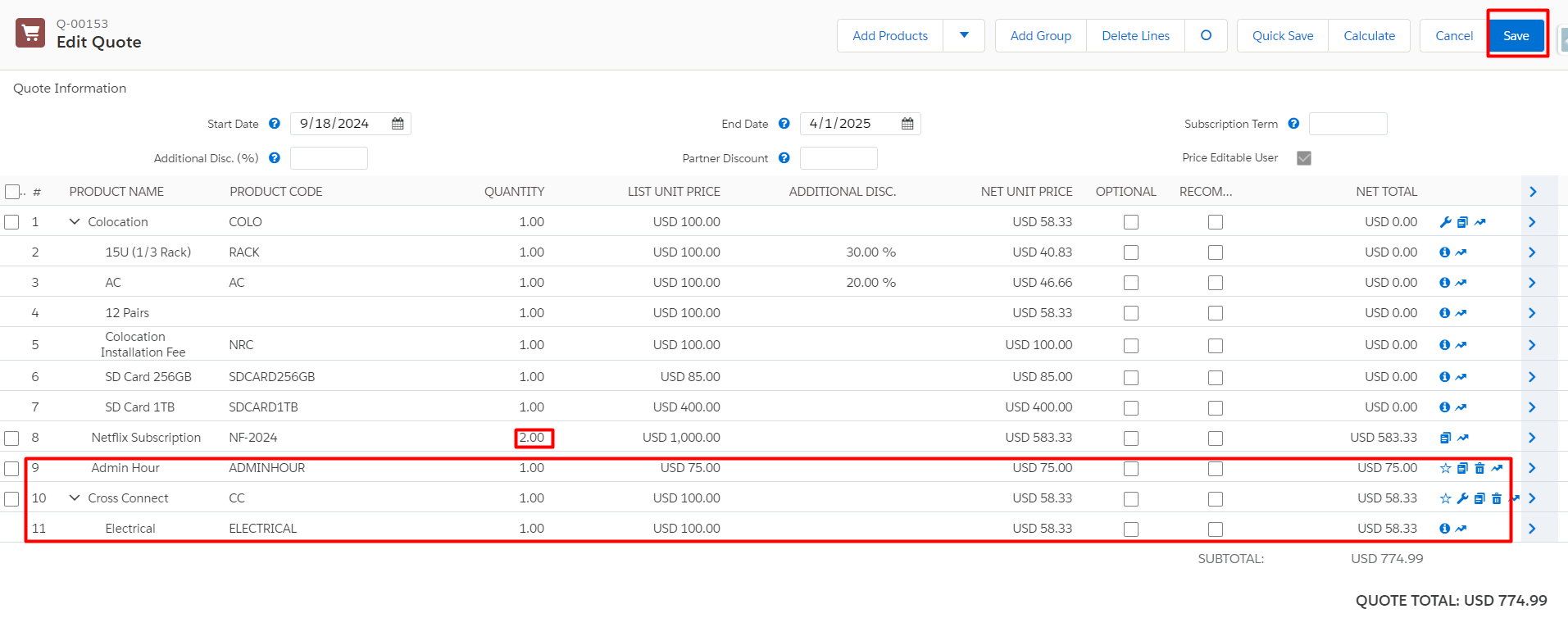
Step 2: Amend the product as per client request (Add, remove, or update products) —> Save

Screenshot 6

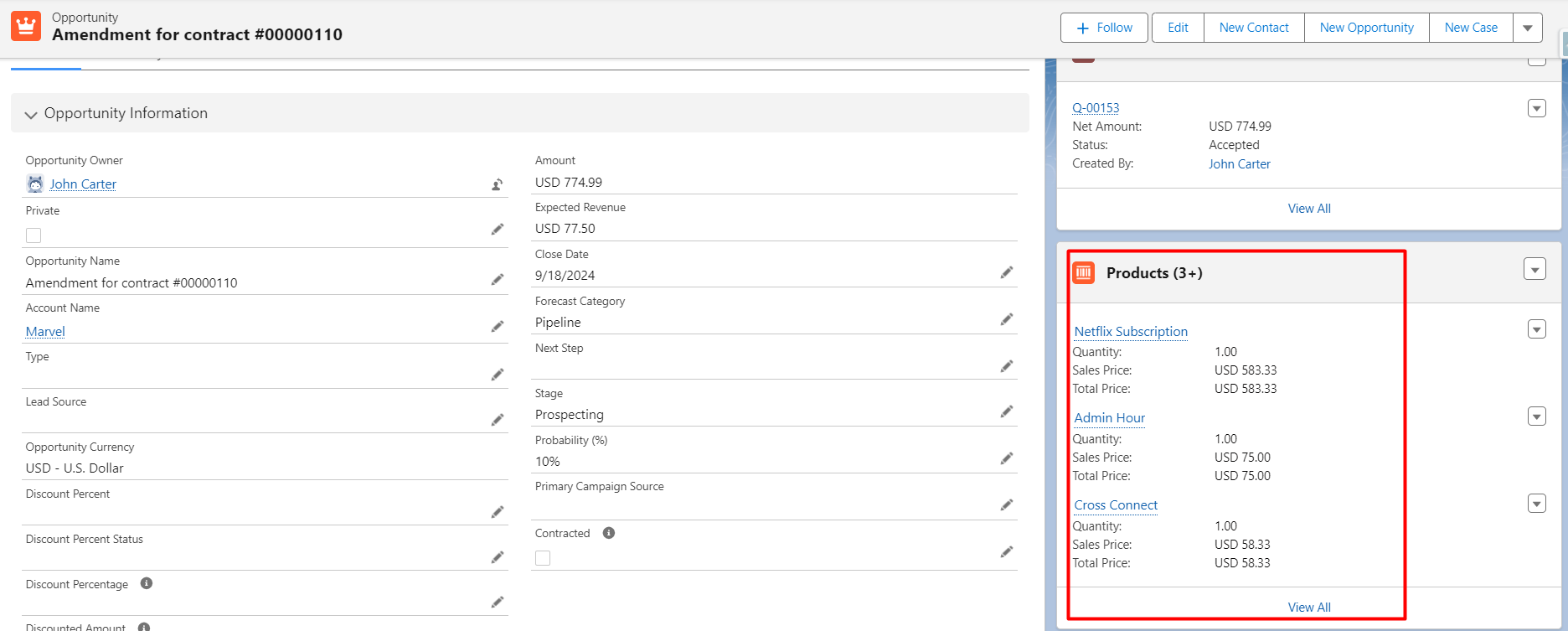
When a contract is amended an amendment opportunity and amendment quote get created.

Screenshot 9

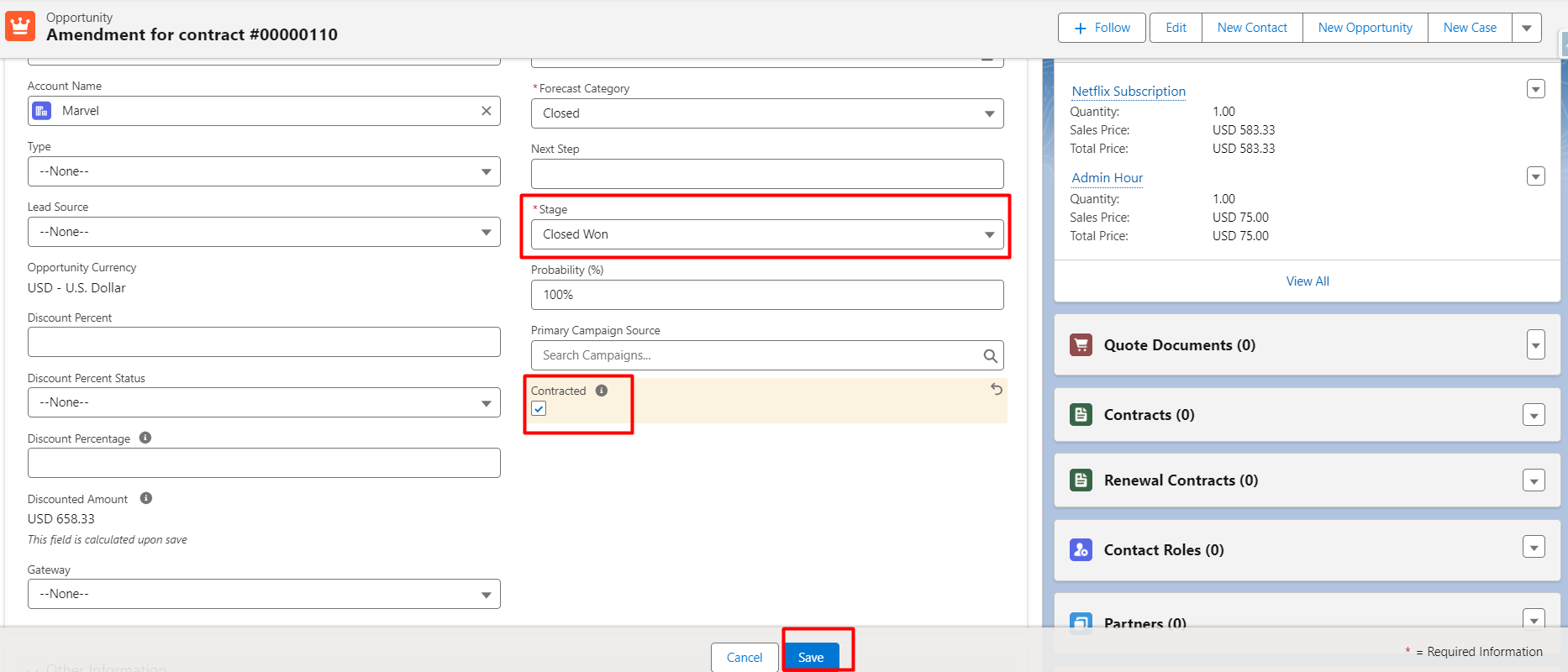
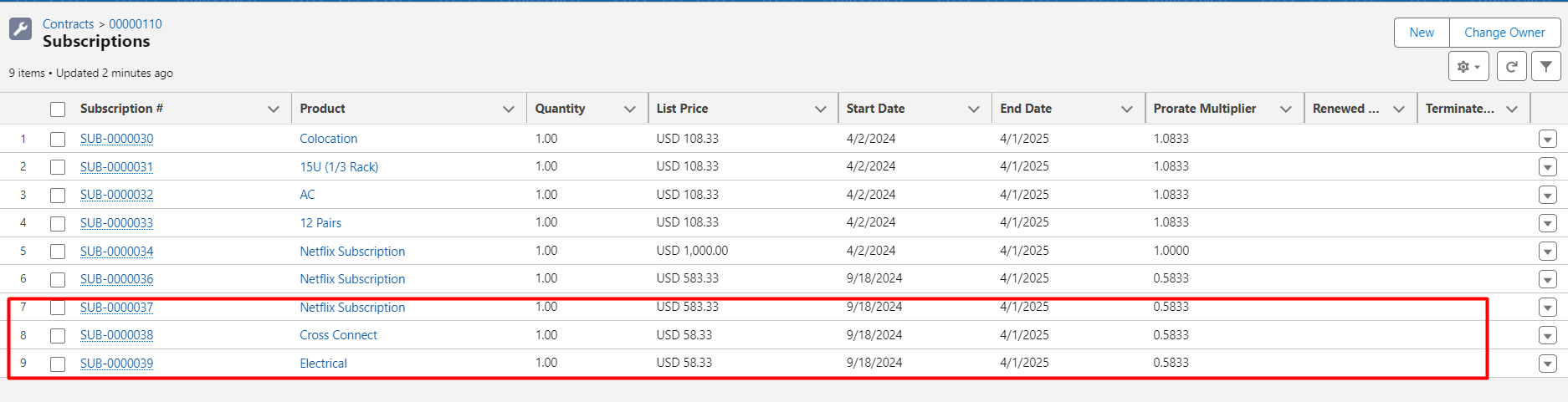
Step 3: Click on the Contracted checkbox of amended opportunity for a contract that will automatically convert assets and subscriptions.

Screenshot 5
Screenshot 7

Some of these procedures can be further automated by using Flow; the following are some examples:

by selecting the “Ordered” and “Contracted” checkboxes, immediately generating a new order and amending the existing contract
If no further permissions are required, the amendment opportunity stage will instantly be updated to “Closed Won.”

Using Flow to change Amendment Opportunities’ names to something more appropriate is a great idea because they follow a consistent naming scheme.

CPQ Renewal Management

Renewing contracts is essential to preserving long-term client connections and revenue sources. Salesforce CPQ lowers the possibility of lost revenue from overlooked renewal chances by assisting companies in managing the renewal process with precision and efficiency.

Steps to Renew a Contract in Salesforce CPQ

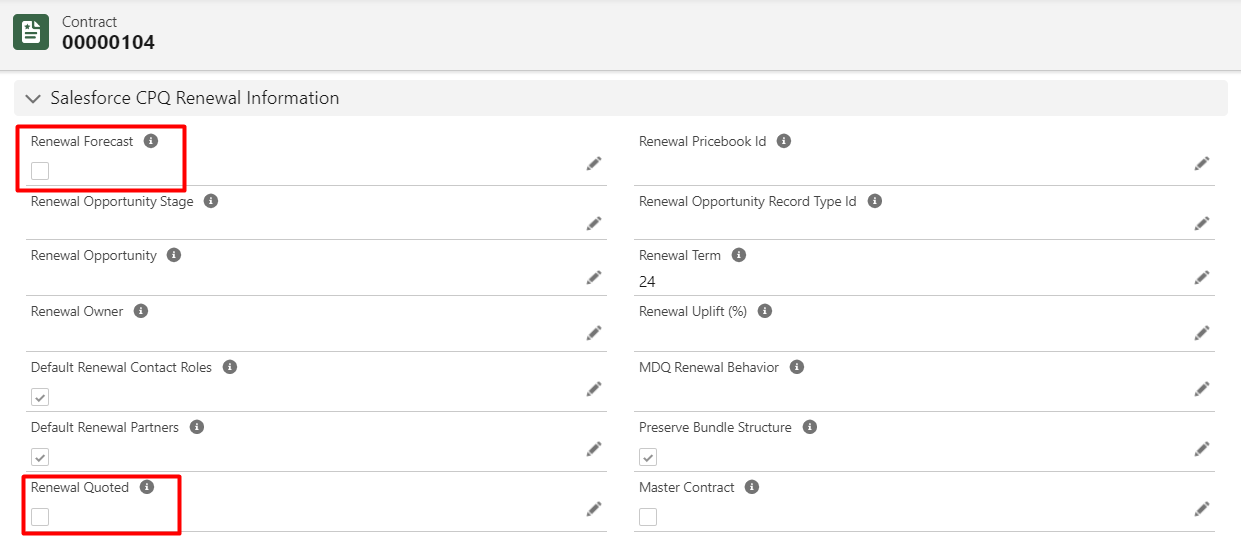
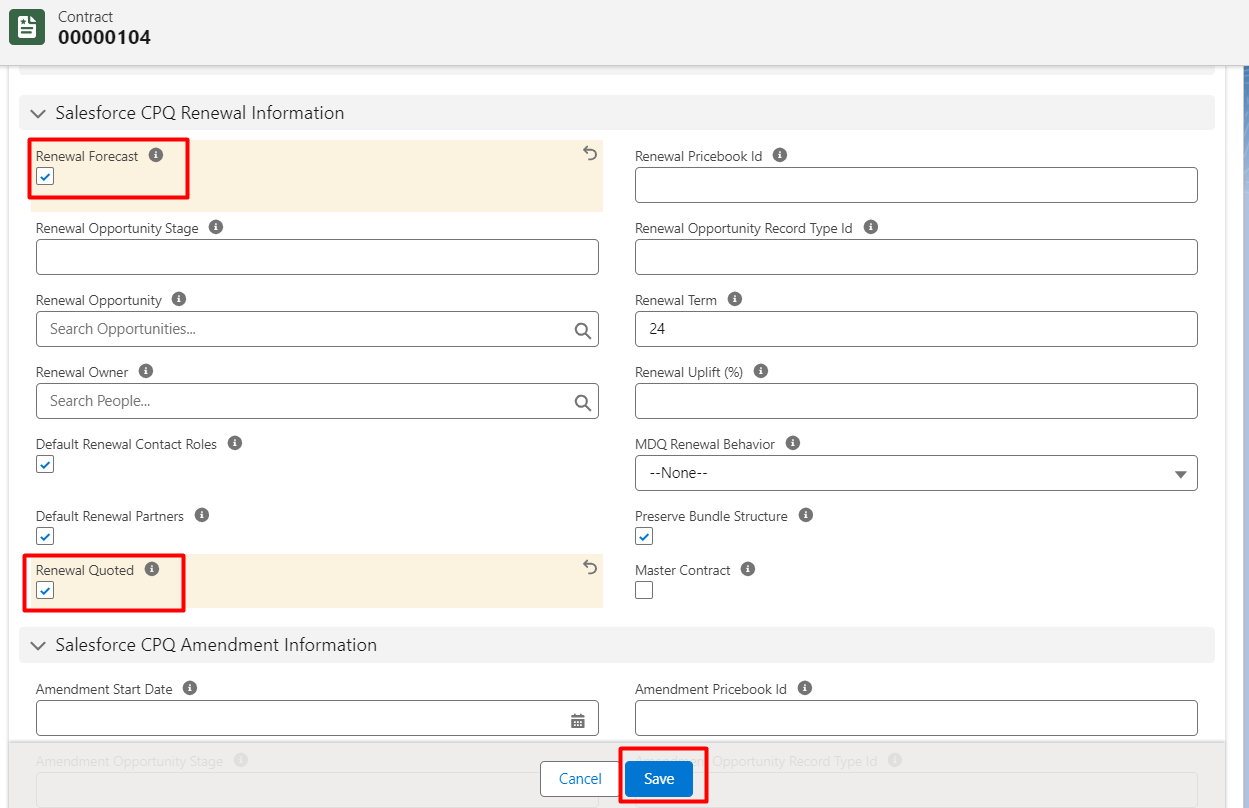
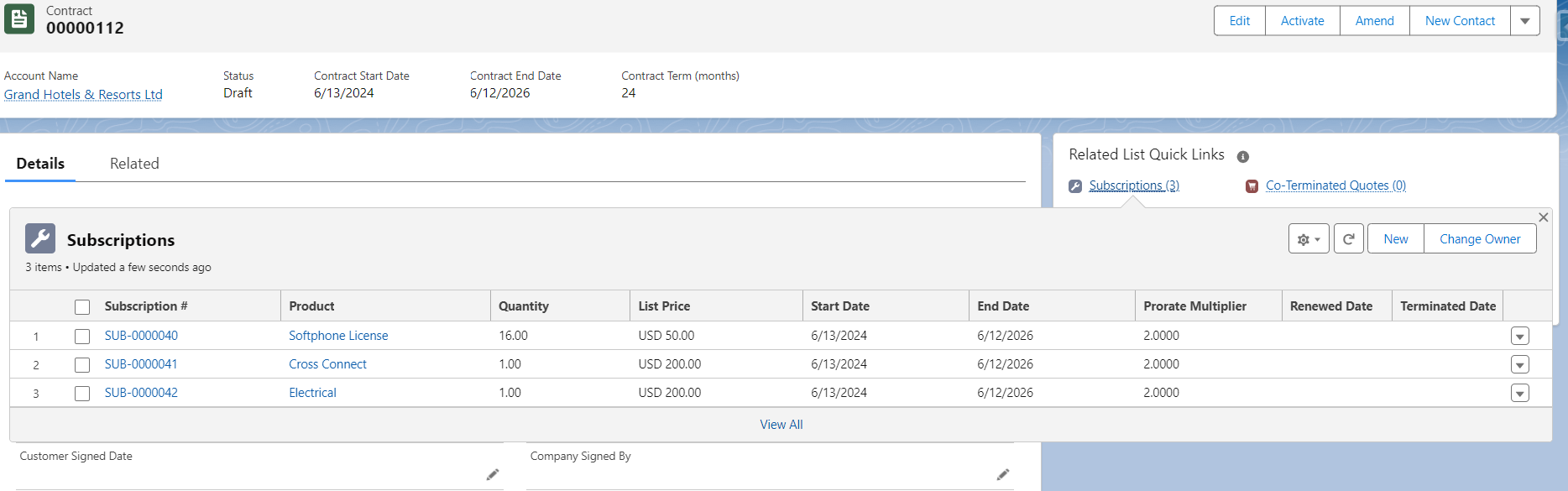
Step 1: To extend a contract that is about to expire, click on it. Two checkboxes can be found under the CPQ Renewal Information portion of the detail page:

Renewal Forecast: If accurate, this will only generate opportunities for renewals rather than quotes.
Renewal Quoted: Will generate a renewal quote if verified.

Screenshot 10

Mark both checkboxes true if you wish to establish a renewal opportunity with a renewal quote. If not, simply select “Renewal Forecast” to generate a renewal opportunity automatically.

Step 2: Click the Renewal Forecast and Renewal Quoted checkbox —> Save

Screenshot 11

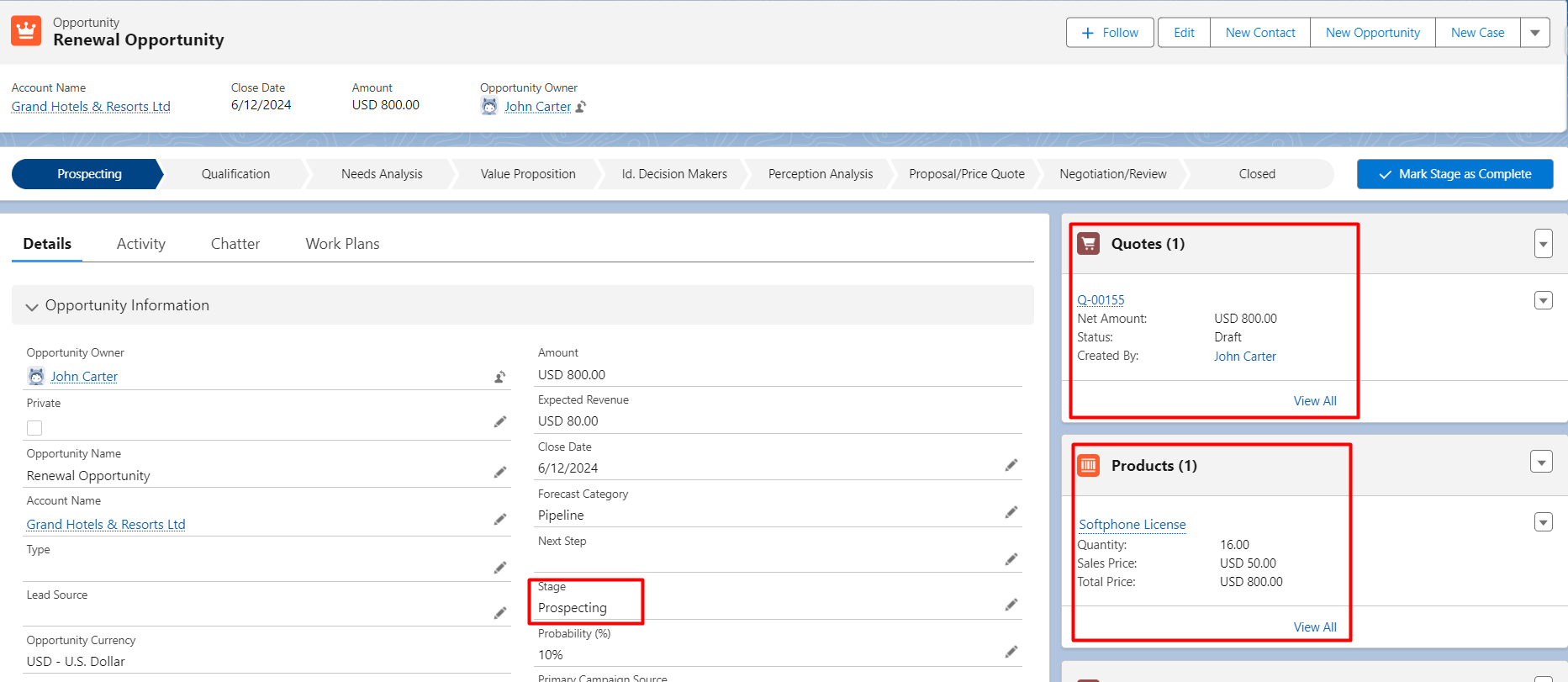
Step 3: A new renewal Opportunity with a Renewal Quote and All active subscription products from the contract get pulled into the renewal opportunity for renewal.

Screenshot 12

Step 4: Send the renewal quote to the customer for approval. This step ensures that the customer is aware of the renewal terms and can negotiate if necessary.

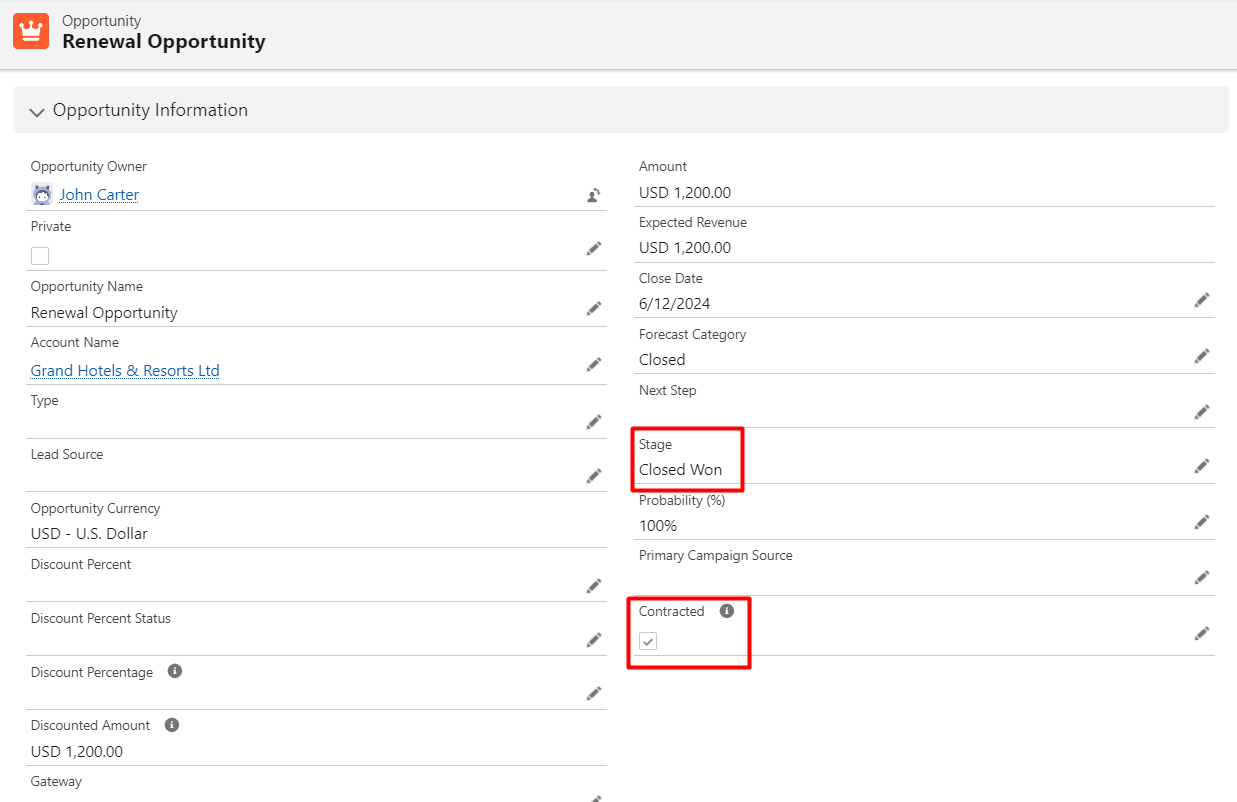
Step 5: Once approved, and Renewal Opportunity is closed click the Contracted checkbox of opportunity.

Screenshot 13

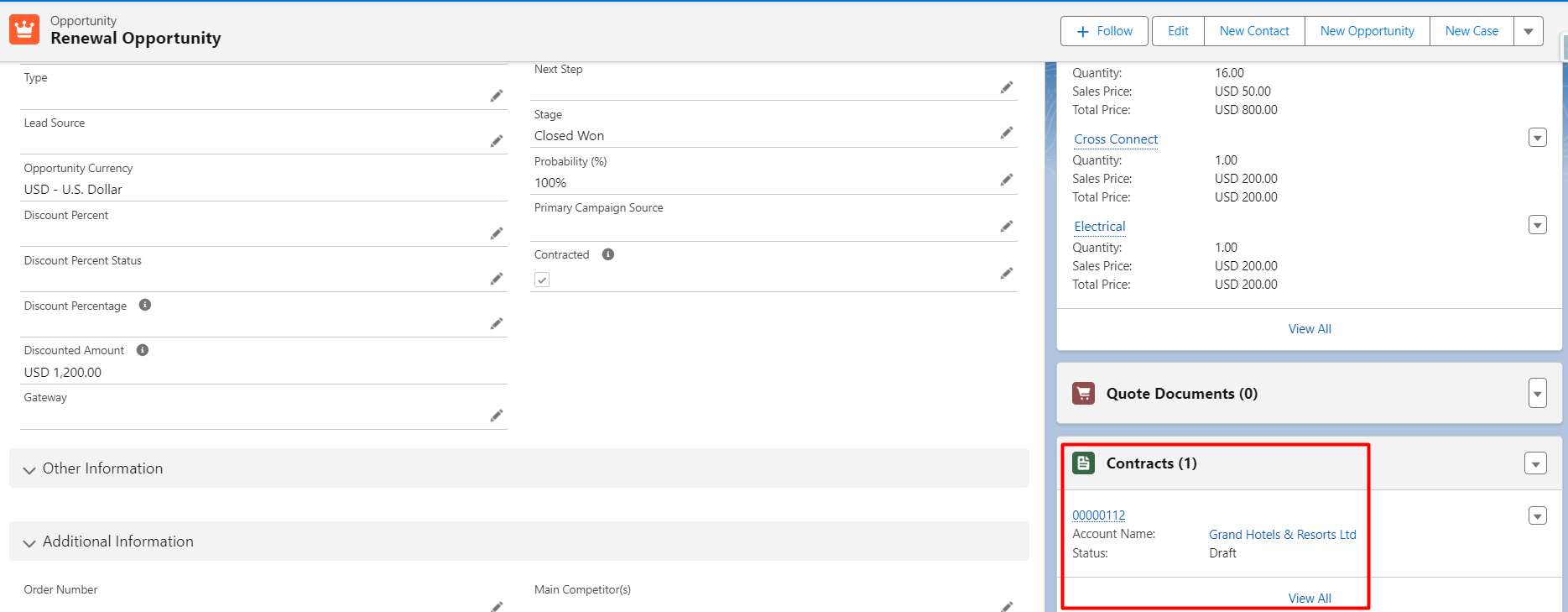
A contract will be generated for renewal opportunities having subscriptions.

Screenshot 14
15

Best Practices for Managing Amendments and Renewals for CPQ

  1. Use Automation: Salesforce CPQ provides strong automation capabilities that can facilitate the process of managing contracts more efficiently. Utilize pricing updates and automated renewal chances to increase efficiency and decrease manual error rates.
  2. Track Customer Usage: Keep an eye on customer usage trends by utilizing Salesforce’s reporting and analytics features. This will increase the possibility that the customer would renew by enabling you to provide customized renewal packages that correspond with their current demands.
  3. Maintain Clear Communication: Make sure that internal teams and customers are informed of all changes made during amendments or renewals. To preserve long-term client relationships and lower the likelihood of disagreements, transparency is essential.

Conclusion

Upholding solid client connections and generating recurrent income depends on contract modifications and renewals. Businesses can effectively manage these procedures using Salesforce CPQ, guaranteeing precision, coherence, and departmental alignment.
By employing automation and version control features, firms may reduce manual work, boost customer satisfaction, and ultimately drive more revenue through efficient contract lifecycle management.
You can maximize the capabilities of Salesforce CPQ and make sure your company remains customer-focused and flexible by putting the above-mentioned best practices into effect.

No Data Found.

Related Articles
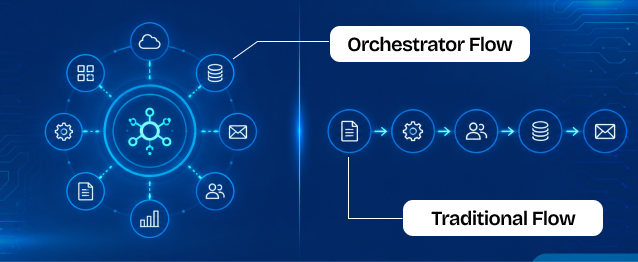
Orchestrator vs. Traditional Flows

Businesses use Salesforce automation to reduce manual work, improve efficiency, and automate repetitive business processes. Two commonly used automation approaches inside Salesforce are Traditional Flows and Flow Orchestrator. Traditional Flows are mainly used for simple automation tasks such as updating records, sending notifications, creating tasks, and automating business logic. Flow Orchestrator is designed for more […]

Read More

The Rise of Agentic Government_ What Salesforce’s 2026 Insights Mean for the Future of Public Sector AI

Government technology has often been seen as slower to evolve than the private sector. But Salesforce’s latest research challenges that idea in a big way. In fact, the new findings suggest that public sector organizations may now be moving faster than many businesses when it comes to adopting AI agents and preparing for a more […]

Read More

How To Use Email Service in APEX

Managing approvals, updates, and record changes directly from email can significantly improve efficiency within Salesforce workflows. Instead of logging in, navigating records, and manually updating fields, users can simply respond to emails and trigger automated updates using Email Service in APEX. This approach is especially useful for businesses leveraging Salesforce automation and looking to enhance […]

Read More

Design and Implementation of Salesforce Jira Task Integration 1 1

Businesses have been using Salesforce for CRM operations and Jira for Agile project tracking. However, without integration, teams manually update both systems, leading to data inconsistency and inefficiency.This mechanism establishes a real-time integration between Salesforce and Jira, allowing seamless synchronization of tasks and agile board statuses.  A custom Salesforce dashboard was developed that replicates Jira-style […]

Read More

Dark Mode in Salesforce Enabling It and Creating Theme Ready Lightning Web Components with SLDS 2.0 1 1

With the Winter ’26 release, Salesforce introduced Dark Mode in Lightning Experience. Dark Mode has been introduced as a beta feature in Winter ’26, and at first it was available only for Starter Edition orgs. It is now rolling out further with Spring ’26 to Professional, Enterprise, and Developer editions. To use Dark Mode, Salesforce […]

Read More
How to Merge and Brand PDF Files in Salesforce Using LWC Visualforce PDF LIB 1

Salesforce developers frequently encounter document automation requirements that go beyond standard Apex-based PDF generation. From merging multiple ContentVersion files to dynamically applying branding like watermarks and headers, traditional server-side approaches often hit Salesforce heap size limits (6MB/12MB), creating performance and scalability challenges. This guide presents a heap-limit-safe PDF merging architecture in Salesforce using Lightning Web […]

Read More
Our Location worldwide
Indian Flag India
3rd Floor, A-10, Pegasus Tower, Sector 68, Noida, Uttar Pradesh 201301 +91-1203239658
United States of America Flag USA
333 West Brown Deer Road Unit G – 366 Milwaukee WI, USA 53217 +1(262) 310-7818
United Kingdom Flag UK
7 Bell Yard, London, WC2A 2JR +44 20 3239 9428
Canada Canada
HIC Global Solutions INC
6D - 7398 Yonge St #1124 Thornhill, ON L4J 8J2 Canada +1(262) 310-7818