
AI agents are increasingly integrated into Salesforce operations, necessitating a thorough understanding of their authentication and access processes. Salesforce is enhancing its Model Context Protocol (MCP) to facilitate AI client connectivity while introducing Agentic Identity for managing agent access. Businesses must assess their current integrations, authentication methods, and security controls before transitioning to this new architecture. This blog outlines steps for conducting an MCP migration assessment, identifying gaps, and developing a roadmap for successful migration, ensuring agents operate securely and effectively within the Salesforce environment.
AI agents are becoming part of everyday Salesforce operations. As businesses connect more agents to customer data and internal workflows, they also need to understand how these agents authenticate, access information, and perform actions.
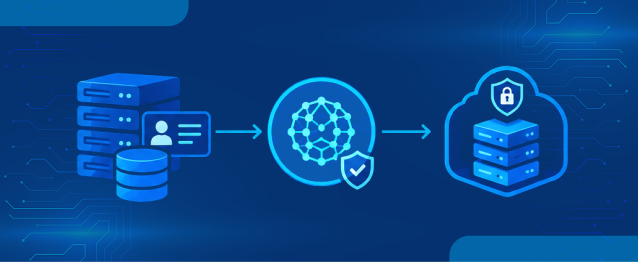
Salesforce is expanding its Model Context Protocol (MCP) capabilities to make platform data and business operations accessible to compatible AI clients. Alongside this, Agentic Identity introduces a separate identity model for managing how external agents access Salesforce.
However, moving to this architecture involves more than connecting an MCP server. Businesses need to review existing integrations, authentication methods, permissions, exposed tools, security controls, and usage requirements before making changes.
In this blog, we will explore how to conduct an MCP migration assessment, evaluate your Salesforce environment, identify readiness gaps, and prepare a practical migration roadmap.
Understanding Agentic Identity and MCP in Salesforce
MCP is an open protocol that allows AI applications to connect with external systems through standardized tools. Salesforce Hosted MCP Servers make platform capabilities, including record operations, Flows, Apex actions, and supported Data 360 features, available to compatible clients.
Agentic Identity addresses how an AI agent is identified when it accesses Salesforce. Instead of relying entirely on an employee’s identity, the proposed registration model gives each agent its own platform identity and permissions. This makes agent activity easier to distinguish and govern.
McKinsey’s 2026 State of AI survey found that 40% of respondents at organisations with more than $1 billion in annual revenue said they were scaling AI agents in at least one business function, up from 27% the previous year. As more agents move into production, the number of connections and permissions that need oversight also grows. McKinsey’s 2026 research provides useful context for why this review is becoming a practical platform task, not just an architecture exercise.
1. Discover Existing Agents and Integrations
Start by identifying every application, AI client, and integration that currently interacts with your Salesforce org. This discovery stage establishes the baseline for your MCP migration assessment and helps uncover connections that may not be documented.
Review these areas:
- AI agents and clients: Identify Agentforce agents, external AI clients, developer tools, and custom agents.
- External Client Apps: Review OAuth applications, owners, scopes, callback URLs, and active connections.
- Integration users: Identify accounts shared by middleware, scheduled jobs, and AI applications.
- API activity: Review available Event Monitoring data and API usage logs.
- Custom endpoints: Inventory REST, SOAP, Apex REST, and other custom integrations.
- Existing MCP servers: Check which Salesforce-hosted, MuleSoft, and third-party servers are already configured.
Record the purpose, technical owner, business owner, authentication method, data accessed, and actions performed by each connection. This information will help determine which integrations need changes and which can remain as they are.
Current-State Discovery Checklist
| Assessment area | Questions | Data to collect |
|---|---|---|
| Agent inventory | Which AI agents connect to Salesforce? | Agent names, owners, and use cases |
| Authentication | How do clients authenticate? | External Client Apps, OAuth settings, and token activity |
| API access | Which APIs and endpoints are being used? | API logs and integration documentation |
| Permissions | What data and operations can agents access? | Profiles, permission sets, and sharing settings |
| MCP connections | Which MCP servers are already configured? | API Catalog and Agentforce Registry records |
| Monitoring | Can agent activity be identified? | Event Monitoring and available audit logs |
2. Assess Identity and Authentication Readiness
The next step is to understand how each agent authenticates with Salesforce. Shared credentials and overlapping OAuth applications can make it difficult to identify which application performed an action.
For existing Salesforce Hosted MCP connections, Salesforce uses OAuth 2.0 through External Client Apps. Each MCP server configuration is linked to an External Client App, and Connected Apps aren’t supported for this connection method.
Authentication Gaps to Identify
- Shared credentials: Multiple agents or applications use the same integration account.
- Overlapping applications: Several MCP clients share one OAuth application configuration.
- Excessive OAuth scopes: Applications request access beyond their actual requirements.
- Unmanaged tokens: Old or unused credentials remain active.
- Missing ownership: No clear person or team is responsible for maintaining an agent’s connection.
Gartner’s September 2026 research on identity governance for AI agents highlights the risk of deploying agents without unique identities. Its guidance supports treating agents as identifiable software workloads with clear ownership and access rights, rather than as anonymous extensions of employee accounts. This is a useful checkpoint when reviewing Agentic Identity readiness.
Authentication Model Comparison
| Connection model | Identity used | Assessment consideration |
|---|---|---|
| User-based OAuth | Authenticated Salesforce user | Check whether the user’s access is appropriate for the client |
| Integration identity | Dedicated integration user | Separate traditional system integrations from agent activity |
| Agentic Identity | Individually registered agent identity | Prepare separate credentials, permissions, and ownership |
| OAuth token exchange | User context passed to another service | Verify identity propagation and access at each stage |
Not every connection needs to move to the same authentication model. Traditional integrations can retain their dedicated service identities, while autonomous agents can follow the new registration approach when available.
3. Review Permissions and Access Controls
An agent should only access the records and perform the operations required for its assigned task. Broad permissions can expose sensitive information or allow unintended changes when an agent selects the wrong tool.
Salesforce Hosted MCP Servers respect the platform’s object permissions, field-level security, and record-sharing rules. For a new agent identity, administrators should also define access around the agent’s specific responsibilities.
Permission Assessment Matrix
| Agent use case | Required access | Recommended control |
|---|---|---|
| Research agent | Read Accounts, Contacts, and Opportunities | Restrict access to relevant records and fields |
| Sales support agent | Read and update selected sales records | Limit updates to approved fields |
| Service agent | Retrieve customer details and update Cases | Restrict access to relevant customer and Case records |
| Workflow agent | Execute approved Flows and Apex actions | Expose only the required actions |
| Administrative agent | Perform approved maintenance tasks | Apply restricted access and human approval for sensitive operations |
During the review, check whether agents have unnecessary Create, Read, Update, or Delete permissions. Also examine custom Apex actions and Flows to ensure they enforce the expected access restrictions.
For example, a sales research agent may need to read Opportunity records and summarize pipeline information. It does not automatically need permission to delete records or change their ownership.
4. Evaluate MCP Server Architecture and Tool Exposure
Salesforce environments can use MCP in two directions: external AI clients can connect to Salesforce-hosted servers, while Agentforce can connect to external MCP servers to access third-party tools.
The architecture review should identify both connection types and decide which capabilities should be available to each agent.
Salesforce as an MCP Server
Salesforce Hosted MCP Servers provide standardized access to supported platform capabilities. These include:
- SObject operations for reading, creating, updating, and deleting records.
- Custom tools built from supported Apex actions, Apex REST methods, and Flows.
- Prompt Builder templates.
- Data 360 and supported analytics capabilities.
- Metadata discovery through supported MCP servers.
Salesforce provides standard servers such as SObject Reads, SObject Mutations, and SObject Deletes. These are disabled by default, and administrators activate the capabilities required by their use cases.
Agentforce as an MCP Client
Agentforce can also connect to third-party MCP servers through Salesforce’s management tools. Administrators can register approved servers, review their available tools, and allowlist the actions that agents can use.
The assessment should examine:
- Which external systems already provide MCP endpoints.
- Whether the server supports the required authentication method.
- Which tools should be available to Agentforce.
- Whether the server accesses sensitive business information.
- Whether existing MuleSoft APIs or integrations can be reused.
MCP Architecture Readiness Matrix
| Architecture area | Existing state | Target direction |
|---|---|---|
| Salesforce-hosted servers | Direct API connections and custom wrappers | Use standard or custom hosted MCP servers where suitable |
| External MCP servers | Independently managed third-party connections | Register and govern approved servers |
| Tool exposure | Agents have access to broad tool collections | Allowlist tools based on agent responsibilities |
| Custom business logic | Logic duplicated across integrations | Reuse approved Flows and Apex actions |
| API management | Connections managed separately | Use API Catalog and Agentforce Registry for supported management workflows |
Salesforce now assigns a risk assessment to external MCP servers and their tools during registration or editing. The review is intended to flag risks such as malicious instructions hidden in tool descriptions that could influence an agent. Administrators are advised to inspect flagged descriptions and allow only tools they trust. See Salesforce’s external MCP server registration guidance.
This makes tool review part of the migration work, not a one-time connection step. Include the server URL, provider, authentication method, tool list, risk result, owner, and approval status in your inventory.
5. Review Governance, Monitoring, and Security
A governed connection should make it possible to identify which user or agent initiated an action, which tool was called, and what happened afterward. This becomes especially important when agents interact with multiple services.
Salesforce provides several controls that can support this review, including OAuth authentication, platform permissions, Event Monitoring, and MCP server risk assessments.
Governance Areas to Evaluate
- Agent ownership: Assign a business and technical owner to every agent.
- Tool allowlisting: Approve only the tools required for each use case.
- Credential management: Define how credentials are created, rotated, and revoked.
- Audit visibility: Review available authentication and API activity logs.
- Human oversight: Identify actions that require approval before execution.
- Third-party security: Review external MCP servers before connecting them.
- Usage monitoring: Track agent interactions and their potential billing impact.
Salesforce also provides risk scoring when third-party MCP servers and their tools are registered through supported management interfaces. The assessment identifies potential tool-poisoning risks, such as hidden instructions in tool descriptions that could influence an agent’s behaviour.
6. Create an MCP Migration Readiness Score
Once the existing environment has been reviewed, bring the findings together in a readiness matrix. This helps teams identify the areas that need attention before moving connections to the new architecture.
Use a simple three-level scoring model:
- 1 – High Risk: Important controls are missing.
- 2 – In Progress: Some controls exist, but gaps remain.
- 3 – Ready: Required controls are configured and tested.
Readiness Scoring Matrix
| Assessment pillar | Score 1: High Risk | Score 2: In Progress | Score 3: Ready |
|---|---|---|---|
| Identity separation | Agents share employee or integration credentials | Some agents have separate accounts | Each agent has a defined identity and owner |
| Authentication | Unmanaged OAuth applications | Applications exist but need review | Dedicated client configurations and registration plan |
| Permissions | Broad profiles and unnecessary access | Permission sets need refinement | Access follows least-privilege requirements |
| MCP architecture | Direct APIs and custom wrappers dominate | Some MCP servers are configured | Servers and connections are documented |
| Tool governance | Unrestricted tool access | Partial tool restrictions | Approved tools are assigned to each agent |
| Monitoring | Agent activity is difficult to trace | Basic logs are available | Activity can be reviewed and investigated |
| Migration planning | No testing or rollback plan | Initial plan exists | Testing, ownership, and rollback procedures are documented |
Add the scores across all seven areas to establish a baseline.
| Total score | Readiness level | Suggested action |
|---|---|---|
| 7–11 | High Risk | Address identity, permissions, and monitoring gaps |
| 12–16 | Partially Ready | Complete missing controls and test in a sandbox |
| 17–21 | Migration Ready | Prepare a phased rollout and production validation |
This is an internal assessment framework, not an official Salesforce readiness score. It helps teams compare environments, prioritize remediation, and track progress.
7. Prepare a Phased MCP Migration Roadmap
After identifying the gaps, organize the work into manageable phases. This gives administrators and developers time to validate authentication, permissions, and tool behaviour before changing production connections.
Phase 1: Inventory and Cleanup
- Complete the agent and integration inventory.
- Identify unused OAuth applications and credentials.
- Separate shared accounts used by agents and traditional integrations.
- Review permissions and remove unnecessary access.
- Document existing API and MCP connections.
Phase 2: Configure the MCP Foundation
- Confirm Salesforce Hosted MCP Server availability and licensing requirements.
- Create dedicated External Client Apps for the required MCP clients.
- Configure OAuth scopes, callback URLs, and PKCE settings.
- Activate the required standard MCP servers.
- Create custom servers for approved business capabilities.
- Register and review external MCP servers through the appropriate Salesforce management interface.
Phase 3: Prepare Agent Registration
Salesforce’s guidance on Agentic Identity outlines a registration process that gives each agent a separate identity, credentials, and scoped permissions. As these capabilities become available, review the following requirements before proceeding:
- Confirm that the org is enabled for the applicable Flex Credit billing model.
- Register agents that require Salesforce platform access.
- Assign permissions based on each agent’s responsibilities.
- Review the OAuth credentials associated with each registered agent.
- Reconfigure the relevant MCP clients and API connections.
Phase 4: Test and Validate
Run the migration in a sandbox or another suitable non-production environment before changing production connections.
Validate the following:
- Authentication with the new credentials.
- Access to approved Salesforce objects and fields.
- Execution of permitted MCP tools.
- Rejection of unauthorized operations.
- Expected behaviour of Flows and Apex actions.
- Visibility of agent activity in available logs.
- Credential revocation and reconnection procedures.
Phase 5: Production Cutover and Monitoring
Move the approved connections to production in manageable groups. Keep the previous configuration documented until the new setup has been validated and the rollback window has closed.
After cutover, monitor authentication failures, unexpected API activity, tool usage, and permission errors. Review usage tracking regularly to understand any changes to operational costs.
8. Include Salesforce Usage and Pricing in the Assessment
The financial side of an MCP migration also needs attention. Salesforce’s September 2026 AIforce guidance connects agent registration with usage visibility and billing: successful calls made by registered agents through MCP or direct APIs are classified as Headless Platform Interactions (HPIs) and tracked through Digital Wallet.
However, this does not mean MCP itself has a universal per-call price. The potential charge relates to Salesforce’s Headless 360 usage model and the applicable Flex Credit rate, not to the open MCP protocol as a whole.
Salesforce’s November 3, 2026 Flex Credits Rate Card lists Headless Platform Interaction as a usage type, but its multiplier is marked TBA. Salesforce’s published guidance says it will provide 30 days’ notice before a numerical multiplier is added and metering begins. Therefore, do not build a migration budget around an assumed HPI price.
Include these checks in the financial review:
- Confirm whether the org and relevant products are covered by the required Salesforce licensing.
- Identify which agents and API connections will require registration.
- Estimate expected successful platform calls and likely growth in agent usage.
- Review Digital Wallet and the current Flex Credits rate card for applicable usage types.
- Confirm how production and sandbox activity are treated.
- Ask Salesforce or your account team to confirm contract-specific terms and effective dates.
Salesforce’s AIforce impact guidance also describes customer migration and registration timelines. Check the latest notice and your contract before scheduling a production cutover, because the timing can differ by customer and purchase date.
How Salesforce Services Can Support Your Migration
An identity and MCP transition can involve several teams, from Salesforce administrators and developers to security and integration architects. A structured assessment helps them work from the same inventory and avoid changing existing connections without understanding their impact.
HIC Global Solutions provides Salesforce services covering integration architecture, custom development, Flow and Apex implementation, and platform security reviews. Our team can help businesses assess their existing setup, address technical gaps, and prepare their Salesforce environment for governed agent connections.
Conclusion
Moving towards a governed agent architecture requires more than connecting an MCP server. Businesses need to understand how agents authenticate, what information they can access, which tools they can use, and how their activity is monitored. A clear assessment helps teams plan these changes without disrupting existing integrations.
As Salesforce continues to expand its AIforce and MCP capabilities, preparing the right identity and access structure can make future changes easier to manage. If your business needs help with an MCP migration assessment, Agentic Identity readiness, or related Salesforce services, HIC Global Solutions can help you plan and implement the right approach.
Frequently Asked Questions
Businesses can assess readiness by reviewing agent identities, authentication methods, permissions, MCP connections, tool access, monitoring, and migration requirements.
An MCP migration assessment should cover existing integrations, AI agents, OAuth applications, credentials, API usage, permissions, external MCP servers, security controls, and licensing requirements.
Agentic Identity introduces a separate identity for each registered AI agent, helping businesses manage agent-specific credentials, permissions, and ownership instead of relying entirely on employee identities.
Separate identities make it easier to identify agent activity, assign specific permissions, manage credentials, and maintain accountability across Salesforce integrations.
Businesses should review Salesforce licensing, agent registration requirements, expected platform calls, Digital Wallet usage, and applicable Flex Credits rates before estimating migration costs.



 India
 USA
 UK
 Canada